Universal Dark Theme

Simple Dark Theme style for any website which you can configure per-site

As of 18.08.2020. See апошняя версія.

You will need to install an extension such as Tampermonkey, Greasemonkey or Violentmonkey to install this script.

You will need to install an extension such as Tampermonkey to install this script.

You will need to install an extension such as Tampermonkey or Violentmonkey to install this script.

You will need to install an extension such as Tampermonkey or Userscripts to install this script.

You will need to install an extension such as Tampermonkey to install this script.

You will need to install a user script manager extension to install this script.

(I already have a user script manager, let me install it!)

You will need to install an extension such as Stylus to install this style.

You will need to install an extension such as Stylus to install this style.

You will need to install an extension such as Stylus to install this style.

You will need to install a user style manager extension to install this style.

You will need to install a user style manager extension to install this style.

You will need to install a user style manager extension to install this style.

(I already have a user style manager, let me install it!)

Аўтар
Owyn
Рэйтынг
0 0 0
Версія
1.11
Створаны
03.03.2020
Абноўлены
18.08.2020
Памер
6.4 КБ
Ліцэнзія
Н/Д
Ужываецца на
Усе сайты

Universal Dark Theme

Browser userscript (extension) to apply a simple Dark Theme style for any website which you can configure per-site.


Or a developer tool to make dark themes for websites using custom css and js in per-site script settings.
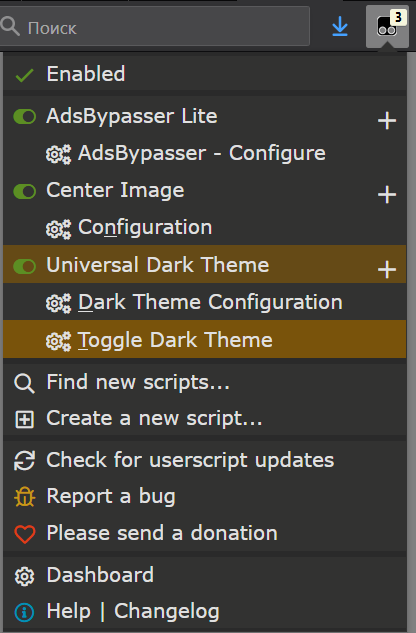
One click to turn one dark theme style for a website - (hotkey `T` while menu is open)


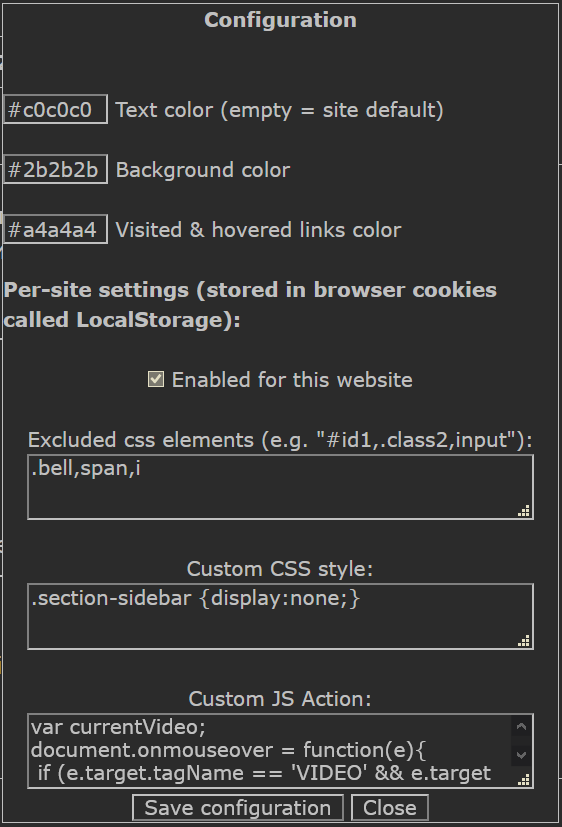
Configuration (per-site & global for colors)


Supported browsers:


Supported userscript managers:


Important Notes:

Userscript works well on simplemistic website designs with little color gradients and lack of shades used, because it makes all backgrounds into one background color and all text colors into one text color.

Moreover not all website designs are competently done and might (and likely would) contain borked elements which would require hammering them out with your CSS (web style programming) knowledge. Or you could just look for a ready-to-use userstyle for that specific website on userstyles.org or in google with "website.com dark theme script" search and not bother.

There is no such thing as magic


However simple one-click dark theme applicator (or a handy tool to craft dark themes - I noticed I was using the same CSS dark style for quite a lot of websites and decided to make this universal one instead) would be enough in many cases.

Is some website broken ? (especially if you use high-contrast windows theme) - no problem, just one click and:


borkedunborked

how to bring back original color to an element (exclude css elements): - Click inspect element on it and


how-to-bring-back-color