Library to create Custom settings on Furaffinitiy
Tento skript by neměl být instalován přímo. Jedná se o knihovnu, kterou by měly jiné skripty využívat pomocí meta příkazu // @require https://update.greatest.deepsurf.us/scripts/475041/1803330/Furaffinity-Custom-Settings.js
 Furaffinity Custom Settings
Helper Library to create Custom settings on FurAffinity.
See documentation on Furaffinity-Custom-Settings.
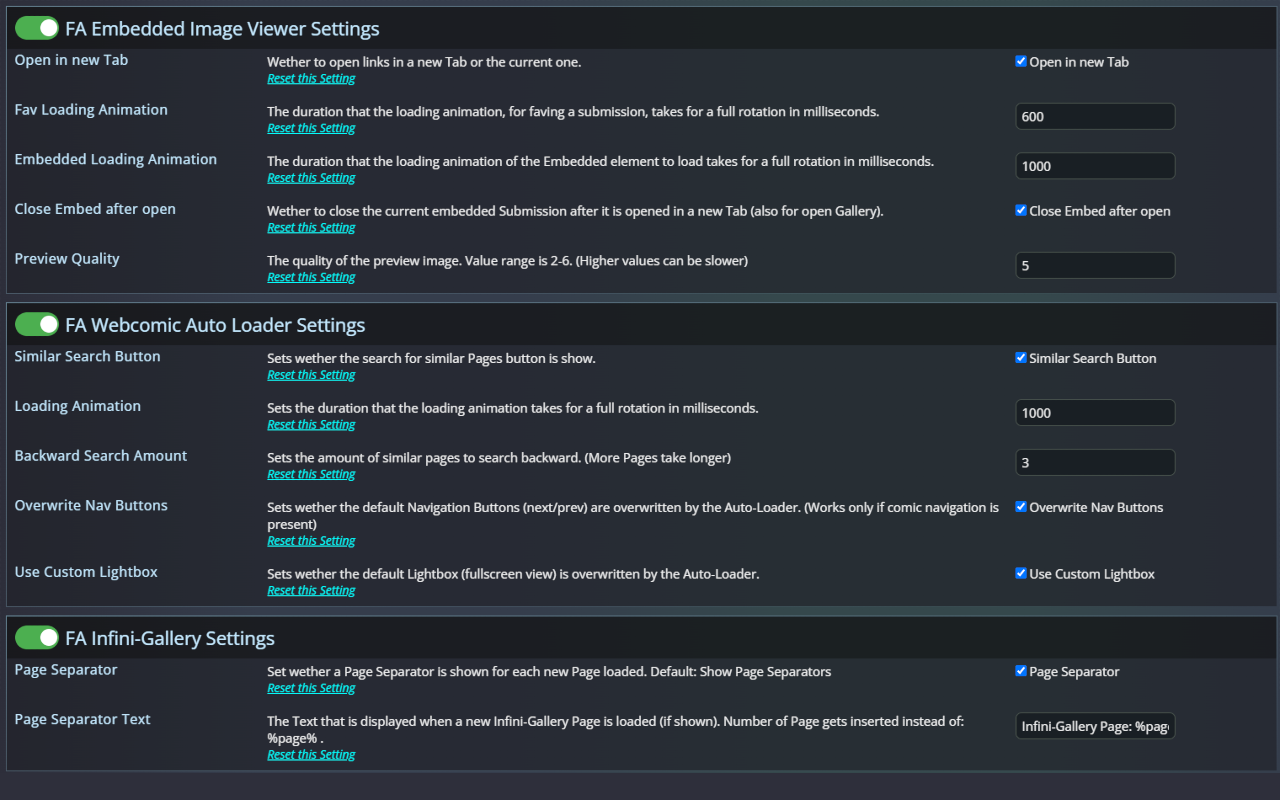
@require this script
Create a Settings Object:
// Constructor takes provider name (navigation entry) and header name (settings page title)
const customSettings = new FACustomSettings("Midori's Script Settings", "My Script Settings");
// Multiple Settings Pages can be created with different provider/header combinations
Create a new Setting:
const setting = customSettings.newSetting(FASettingType.Boolean, "Setting Name");
setting.description = "Setting Description";
setting.defaultValue = DefaultValue;
setting.onInput = (target) => { doSomething(); }; // For Action Settings when clicked otherwise every time the Setting is changed
setting.addEventListener("input", (target) => { doSomething(); }); // Alternative to onInput
setting.verifyRegex = /Regex/; // For Text Settings only
See Furaffinity-Custom-Settings for more info
Trigger when settings should be loaded:
customSettings.loadSettings(); // loads Navigation Menu & Settings if on Settings Page
| Feature | Status |
|---|---|
| Create new Settings and easily access Settings change | ✅ Completed |
| Have different Setting Types | ✅ Completed |
| ⠀⠀⠀⠀Number (TextField that only allows Numbers) | ✅ Completed |
| ⠀⠀⠀⠀Boolean (Checkbox with a description) | ✅ Completed |
| ⠀⠀⠀⠀Action (Button with a description) | ✅ Completed |
| ⠀⠀⠀⠀Text (TextField that allow any Characters) | ✅ Completed |
| ⠀⠀⠀⠀Option (Combobox with multiple options) | ✅ Completed |
| Change Settings Page Name and Header Name | ✅ Completed |
| Have multiple different Setting Pages | ✅ Completed |
| Import and Export Settings | ✅ Completed |
