NeuraVeil AI







NeuraVeil enhances your browsing experience by adding a modern, lightweight AI chat panel directly on the websites you visit.
Powered by the open APIs of Pollinations.ai (text and images) and AI Horde, it provides instant access to artificial intelligence,
with no account, no page reload, and no cluttered interface.
Designed for smooth everyday use, NeuraVeil stays discreet while giving you precise control over response behavior and style.

Main features
Interface & Navigation
- Universal floating chat : accessible on any webpage without interruption.
- Bubble or sidebar mode : switch between a compact popup and a movable side panel (left/right).
- Customizable position : draggable chat icon (long press + drag) with saved position.
- Resizable sidebar : adjustable width with automatic saving.
- Quick close : press Escape to instantly close the chat.
- Dynamic positioning : the chat bubble always stays visible within the viewport.
Conversation management
- High number of conversations : create, load, rename, and delete your discussions (browser local storage).
- Local history : all conversations are stored directly in your browser.
- Clear history : delete an entire conversation history or start a new chat at any time.
- Data deletion : reset all locally stored settings and conversations.
- Storage usage tracking : clear visualization of the space used by conversations and settings.
Control & Behavior
- Persistent reasoning levels : Auto, Minimal, Low, Medium, High, Ultra to adjust the depth of AI analysis.
- Multiple response styles : Default, Professional, Direct, Teaching, Creative, Technical, Geek, Persuasive.
- Ghost Mode : ephemeral mode that disables all saving by the script and applies a distinct interface theme with a visible banner. Image generation uses the
&private=true parameter from Pollinations.ai. - Keyboard isolation : input inside the chat is fully isolated, preventing website shortcuts from triggering while typing.
Media & Advanced rendering
- Image generation : create images via Pollinations.ai and AI Horde (Stable Horde).
- Web image search : openly licensed images from Openverse with source, author, and license details.
- Openverse image actions : copy image, download image, or copy image link.
- Code blocks with syntax highlighting : rendering powered by Highlight.js for all programming languages.
- Mathematical formulas : LaTeX rendering with KaTeX.
- Table rendering : dedicated table style with specific actions.
- Clickable links : automatic detection and formatting.
- Multi-version responses : tab-based navigation between different response versions.
- Automatic preloading : images are loaded in the background for a smoother experience.
- Automatic image generation : in High and Ultra modes, relevant images may be generated automatically.
Quick actions & Utilities
- Copy, regenerate, download : instant actions on responses.
- Anti-bug protection : safe handling when switching conversations during an ongoing request.
- Error handling : an alert message appears in the chat and automatically disappears when the conversation resumes.
Use cases
NeuraVeil adapts to different usage contexts:
- Daily browsing : instant AI assistance without leaving your page.
- Learning : step-by-step explanations with mathematical formulas and formatted code.
- Development : code generation and analysis with syntax highlighting and technical mode.
- Writing : creative assistance with multiple styles and reasoning levels.
- Creative exploration : integrated image generation and visual search.
- Privacy : Ghost Mode for sessions with no trace or saving by the script. (see third-party service policies)
Frequently asked questions
How do reasoning levels work?
Reasoning levels control how deeply the AI analyzes a request before generating a response:
- Minimal / Low : fast, concise responses with minimal analysis.
- Medium : balance between reasoning depth and clarity.
- High : in-depth analysis, structured responses, possible relevant image generation.
- Ultra : maximum depth, refined responses, automatic rewriting if the request is unclear, contextual image generation.
The internal reasoning is never exposed to the user. Only the final response is displayed.
What are response styles used for?
Response styles affect tone and presentation, not the accuracy of the information:
- Professional : formal and structured responses.
- Direct : short, no-frills answers.
- Teaching : step-by-step explanations.
- Creative : expressive language and originality.
- Technical : precise, developer-oriented output.
- Geek : technical jargon and references.
- Persuasive : structured, convincing tone.
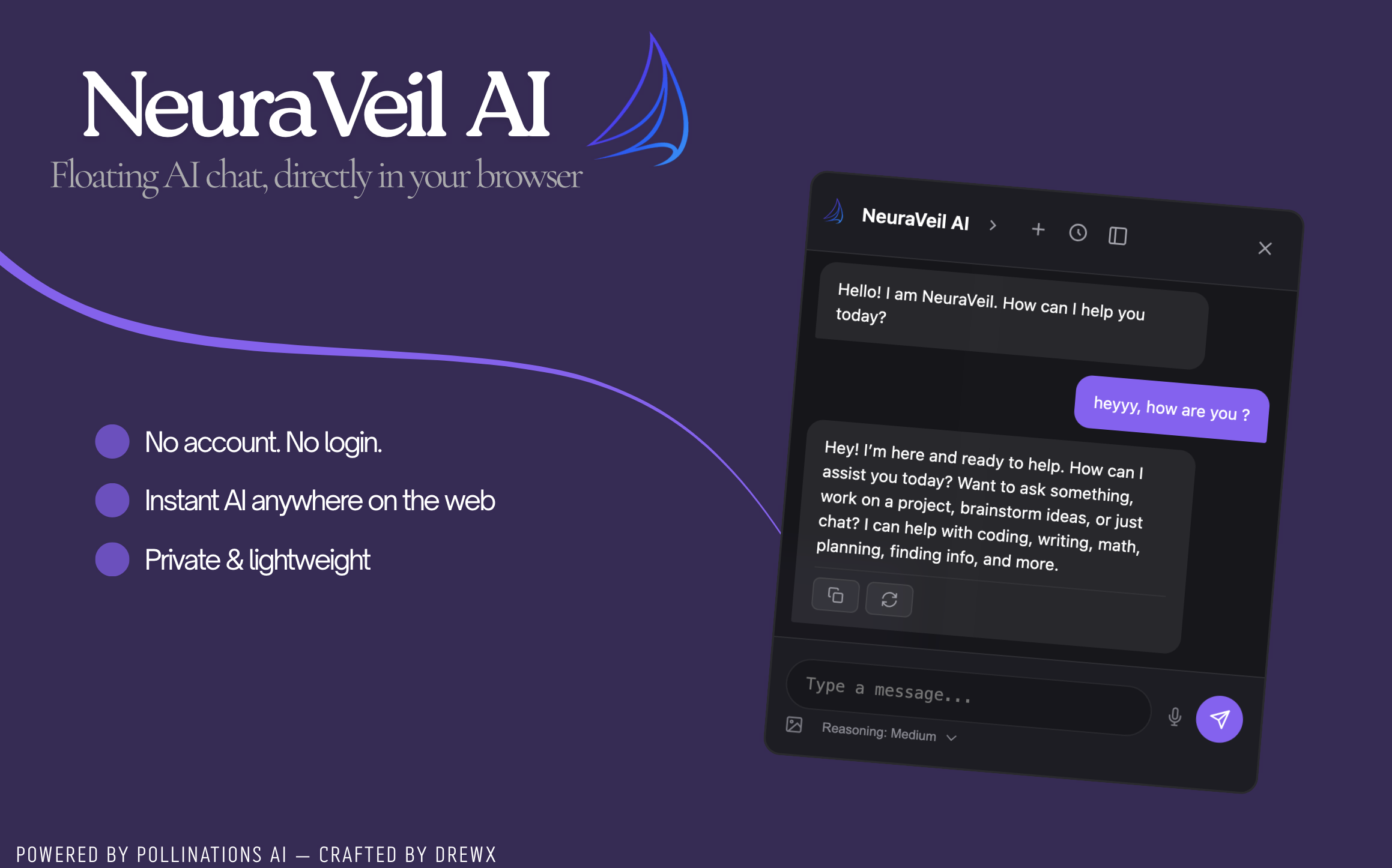
Header controls
- Arrow : show or hide additional icons.
- Settings : response customization and data management.
- Ghost icon : enable or disable Ghost Mode.
- Info icon (i) : open the information panel.
- History, new chat, switch to sidebar, close.
Preview
Important notes
- Ghost Mode : no data is saved by the script while this mode is active. (see third-party service policies)
- Auto and Ultra modes may automatically suggest relevant images.
- On some websites (such as GitHub), external Highlight.js styles may be blocked by the browser. This does not affect core functionality. A fix is currently in development.
- It is recommended to regularly delete unused conversations to avoid excessive storage usage.
Third-party libraries
- Highlight.js : syntax highlighting for code blocks (BSD 3-Clause) | Website | Source code
- KaTeX : LaTeX mathematical formula rendering (MIT) | Website | Source code
- Pollinations.ai : public API for text and image generation (MIT) | Website | Source code
- AI Horde (Stable Horde) : community-powered image generation backend (AGPL-3.0) | Website | Source code
- Openverse : open-license image search with attribution, license, and source link (CC0) | Website | Source code
- GreasyFork SVG icon : interface icon created by denilsonsa | Source
Feedback and contributions
Feedback, bug reports, and improvement suggestions are welcome via GreasyFork Feedback or GitHub Issues.
Author
Developed and maintained by Dℝ∃wX (DREwX-code).
Project designed for simplicity, performance, and user-centered evolution.
⚠️ Important : NeuraVeil is an AI assistant that may generate inaccurate information. Always verify critical or sensitive information independently.

