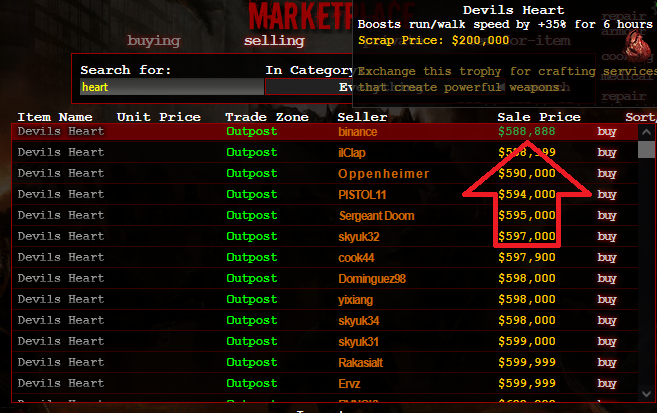
Quick Price Copy!

Click on a sale price or item name to copy it to the clipboard. Also formats Price as you type with commas like 1,000,000 instead of 1000000

Du musst eine Erweiterung wie Tampermonkey, Greasemonkey oder Violentmonkey installieren, um dieses Skript zu installieren.

You will need to install an extension such as Tampermonkey to install this script.

You will need to install an extension such as Tampermonkey or Violentmonkey to install this script.

You will need to install an extension such as Tampermonkey or Userscripts to install this script.

You will need to install an extension such as Tampermonkey to install this script.

Sie müssten eine Skript Manager Erweiterung installieren damit sie dieses Skript installieren können

(Ich habe schon ein Skript Manager, Lass mich es installieren!)

You will need to install an extension such as Stylus to install this style.

You will need to install an extension such as Stylus to install this style.

You will need to install an extension such as Stylus to install this style.

You will need to install a user style manager extension to install this style.

You will need to install a user style manager extension to install this style.

You will need to install a user style manager extension to install this style.

(I already have a user style manager, let me install it!)

Autor
Lucky11
Installationen heute
0
Installationen gesamt
31
Bewertungen
0 0 0
Version
1.2
Erstellt am
06.05.2025
Letzte Aktualisierung
04.11.2025
Größe
10,5 KB
Lizenz
MIT
Wird angewandt auf

Quick Price Copy Userscript

Quick Price Copy Userscript

Quick Price Copy Screenshot

This userscript allows you to quickly copy sale prices or item name from the Dead Frontier marketplace, making it easier to undercut prices when posting your own items for sale.
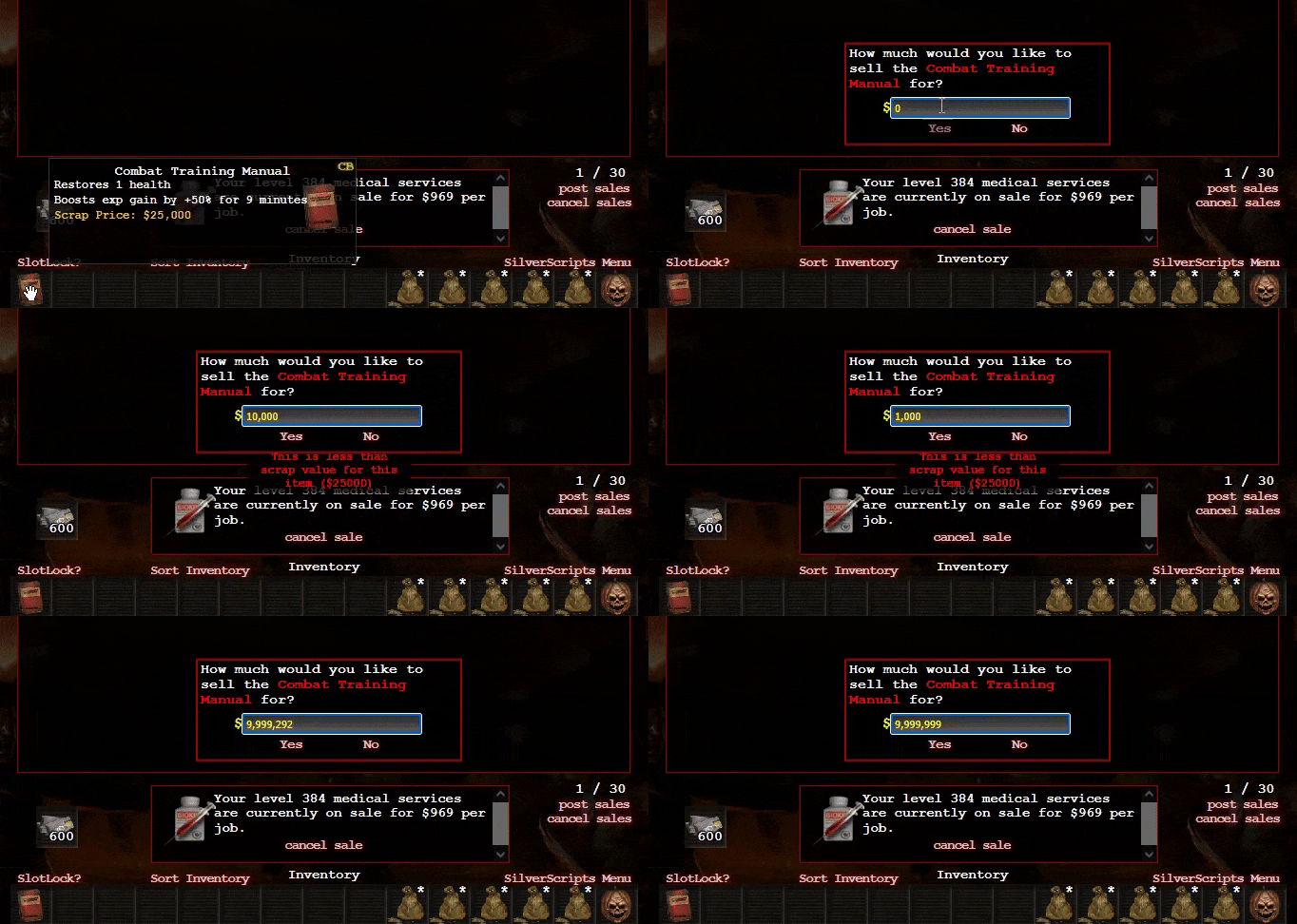
Features:

  • Click on a sale price or item name to copy it to your clipboard.
  • Automatically adjusts the copied price by a specified undercut value.
  • Formats the price with commas for easy readability as you type into the textbox:
  • Quick Price Copy Screenshot
  • Customizable undercut value by modifying the Price_Undercut_Value variable in the script.
  • Visual feedback when a price or item name is copied, showing the adjusted price for confirmation.
  • Changes the color of the name or price temporarily to indicate a successful copy action.

How to Use:

  1. Install a userscript manager like Tampermonkey.
  2. Add this script to your userscript manager.
  3. Navigate to the Dead Frontier marketplace page.
  4. Click on any sale price to copy it with the undercut value applied.

Customization:

To change the undercut value, simply modify the Price_Undercut_Value variable at the beginning of the script. For example, to set an undercut value of 2, change:

const Price_Undercut_Value = 1;

to:

const Price_Undercut_Value = 2;

You can also disable the popup feedback that displays what was copied by setting the Show_Feedback variable to false. For example:

let Show_Feedback = false;

Here’s a screenshot of how the popup looks when enabled:

Popup Feedback Screenshot