GitHub Folder Downloader

To add a download button for a GitHub folder, which allows easy downloading of a specific folder, you can follow these steps

Από την 27/08/2024. Δείτε την τελευταία έκδοση.

θα χρειαστεί να εγκαταστήσετε μια επέκταση όπως το Tampermonkey, το Greasemonkey ή το Violentmonkey για να εγκαταστήσετε αυτόν τον κώδικα.

θα χρειαστεί να εγκαταστήσετε μια επέκταση όπως το Tampermonkey ή το Violentmonkey για να εγκαταστήσετε αυτόν τον κώδικα.

θα χρειαστεί να εγκαταστήσετε μια επέκταση όπως το Tampermonkey ή το Violentmonkey για να εγκαταστήσετε αυτόν τον κώδικα.

θα χρειαστεί να εγκαταστήσετε μια επέκταση όπως το Tampermonkey ή το Userscripts για να εγκαταστήσετε αυτόν τον κώδικα.

You will need to install an extension such as Tampermonkey to install this script.

Θα χρειαστεί να εγκαταστήσετε μια επέκταση διαχείρισης κώδικα χρήστη για να εγκαταστήσετε αυτόν τον κώδικα.

(Έχω ήδη έναν διαχειριστή κώδικα χρήστη, επιτρέψτε μου να τον εγκαταστήσω!)

You will need to install an extension such as Stylus to install this style.

You will need to install an extension such as Stylus to install this style.

You will need to install an extension such as Stylus to install this style.

You will need to install a user style manager extension to install this style.

You will need to install a user style manager extension to install this style.

You will need to install a user style manager extension to install this style.

(Έχω ήδη έναν διαχειριστή στυλ χρήστη, επιτρέψτε μου να τον εγκαταστήσω!)

Δημιουργός
人民的勤务员
Βαθμολογίες
0 0 0
Έκδοση
0.7
Δημιουργήθηκε την
27/08/2024
Ενημερώθηκε την
27/08/2024
Μέγεθος
8 KB
Άδεια
MIT
Εφαρμόζεται σε

GitHub Folder Downloader

Description

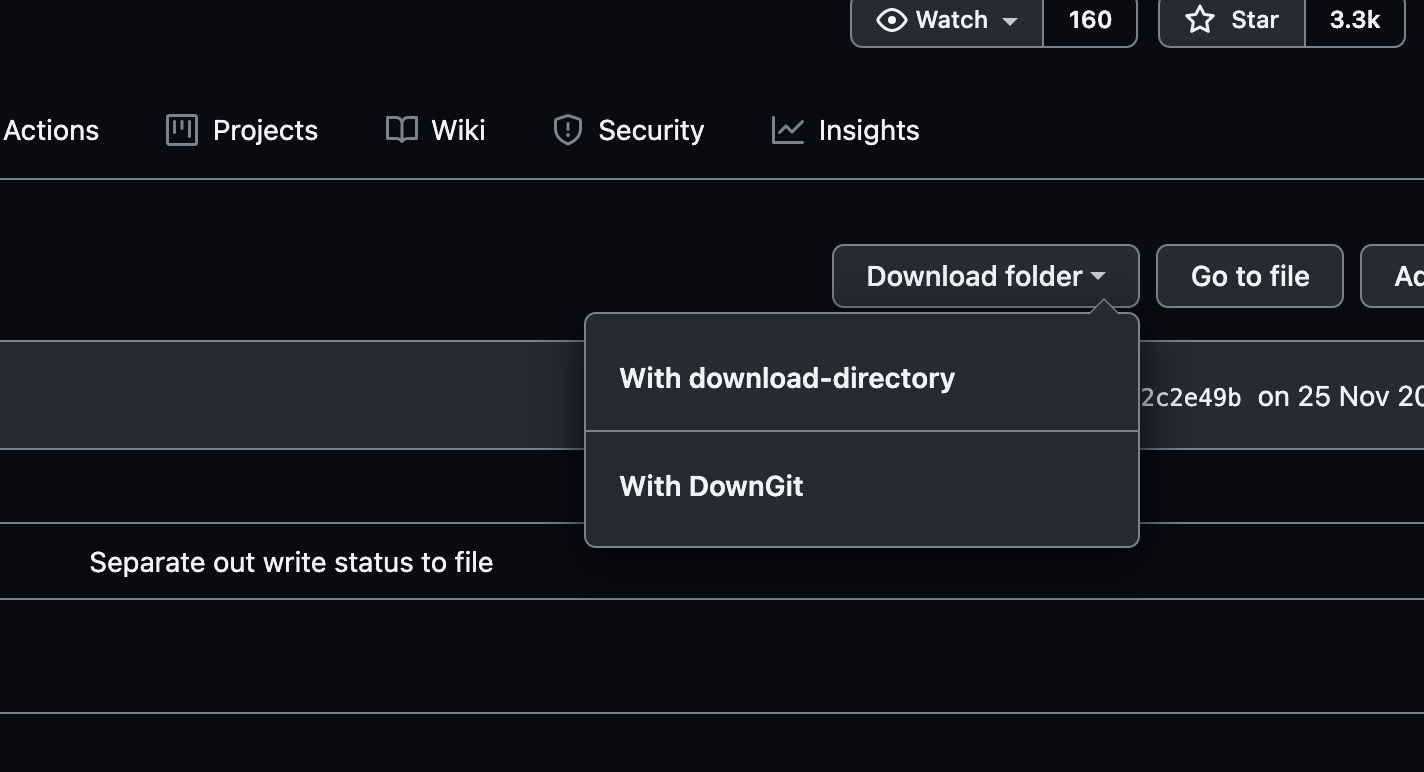
GitHub Folder Downloader adds a download button for GitHub folders, making it easier to download specific folders from repositories. The button integrates with two external tools: download-directory and DownGit, allowing users to download folders with a single click.

Features

Modifications

Modified from the script GitHub 文件夹下载 by user Eric Kwok.
Usage

  1. Navigate to a GitHub repository.
  2. Open a folder in the repository.
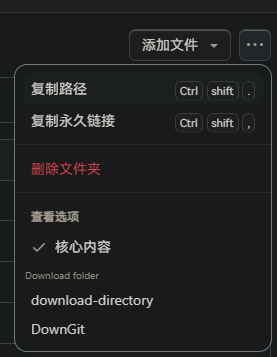
  3. Click on the "Download folder" button to see options for downloading the folder.

Change history

- 2024/8/28 04:21 - Ver: 0.7 Replaced invalid selectors.

2.png 1.png