
Welcome to Greasy Fork, a site for user scripts.
What are user scripts?
User scripts put you in control of your browsing experience. Once installed, they automatically make the sites you visit better by adding features, making them easier to use, or taking out the annoying bits. The user scripts on Greasy Fork were written by other users and posted to share with the world. They're free to install and easy to use.
Step 1: install a user script manager
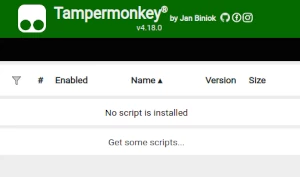
To use user scripts you need to first install a user script manager. Which user script manager you can use depends on which browser you use.
Desktop Mobile (Android) Mobile (iOS)
- Chrome: Tampermonkey
- Firefox: Greasemonkey, Tampermonkey, or Violentmonkey
- Safari: Tampermonkey or Userscripts
- Microsoft Edge: Tampermonkey
- Opera: Tampermonkey or Violentmonkey
- Maxthon: Violentmonkey
- AdGuard: (no additional software required)
- Firefox: Greasemonkey, Tampermonkey, or Violentmonkey
- Microsoft Edge: Tampermonkey
- Maxthon: Violentmonkey
- Dolphin: Tampermonkey
- UC: Tampermonkey
- XBrowser
- Safari: Tampermonkey or Userscripts
- Gear: (no additional software required)
- Teak: (no additional software required)
Step 2: install a user script
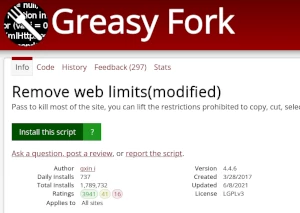
Browse this site to find a user script you want to try. Here is a sample of the most popular scripts:
- Code Injector - Bonk.io - Allows different userscripts to define functions that modify the game's code
- Geoguessr Location Resolver (Works in all modes) - Features: Automatically score 5000 Points | Score randomly between 4500 and 5000 points | Open in Google Maps
- Quillbot Premium Unlocker - Unlocks Quillbot Premium features with improved stability and compatibility
- Torn Price Filler [Market+Bazaar] by Rosti powered by Weav3r.dev - On "Fill" click on the Item Market or Bazaar, autofills the price with the lowest market price minus $1 (customizable), and shows a price popup.
- Void Bacon+ v3.4 - have fun ngas dont do anything stupid
Once you've found a user script, click the green install button on the user script's page, and your user script manager will ask you to confirm the install.
Step 3: use the user script
Go to the site the user script affects. It should automatically do its thing. After trying out the user script for a while, go back to where you installed the user script and leave some feedback for the user script's author.