GitHub Folder Downloader

To add a download button for a GitHub folder, which allows easy downloading of a specific folder, you can follow these steps

Mint 2024.08.27.. Lásd a legutóbbi verzió

You will need to install an extension such as Tampermonkey, Greasemonkey or Violentmonkey to install this script.

You will need to install an extension such as Tampermonkey or Violentmonkey to install this script.

You will need to install an extension such as Tampermonkey or Violentmonkey to install this script.

You will need to install an extension such as Tampermonkey or Userscripts to install this script.

You will need to install an extension such as Tampermonkey to install this script.

You will need to install a user script manager extension to install this script.

(I already have a user script manager, let me install it!)

You will need to install an extension such as Stylus to install this style.

You will need to install an extension such as Stylus to install this style.

You will need to install an extension such as Stylus to install this style.

You will need to install a user style manager extension to install this style.

You will need to install a user style manager extension to install this style.

You will need to install a user style manager extension to install this style.

(I already have a user style manager, let me install it!)

Fejlesztő
人民的勤务员
Értékelések
0 0 0
Verzió
0.7
Létrehozva
2024.08.27.
Frissítve
2024.08.27.
Size
8 KB
Licensz
MIT
Érvényes

GitHub Folder Downloader

Description

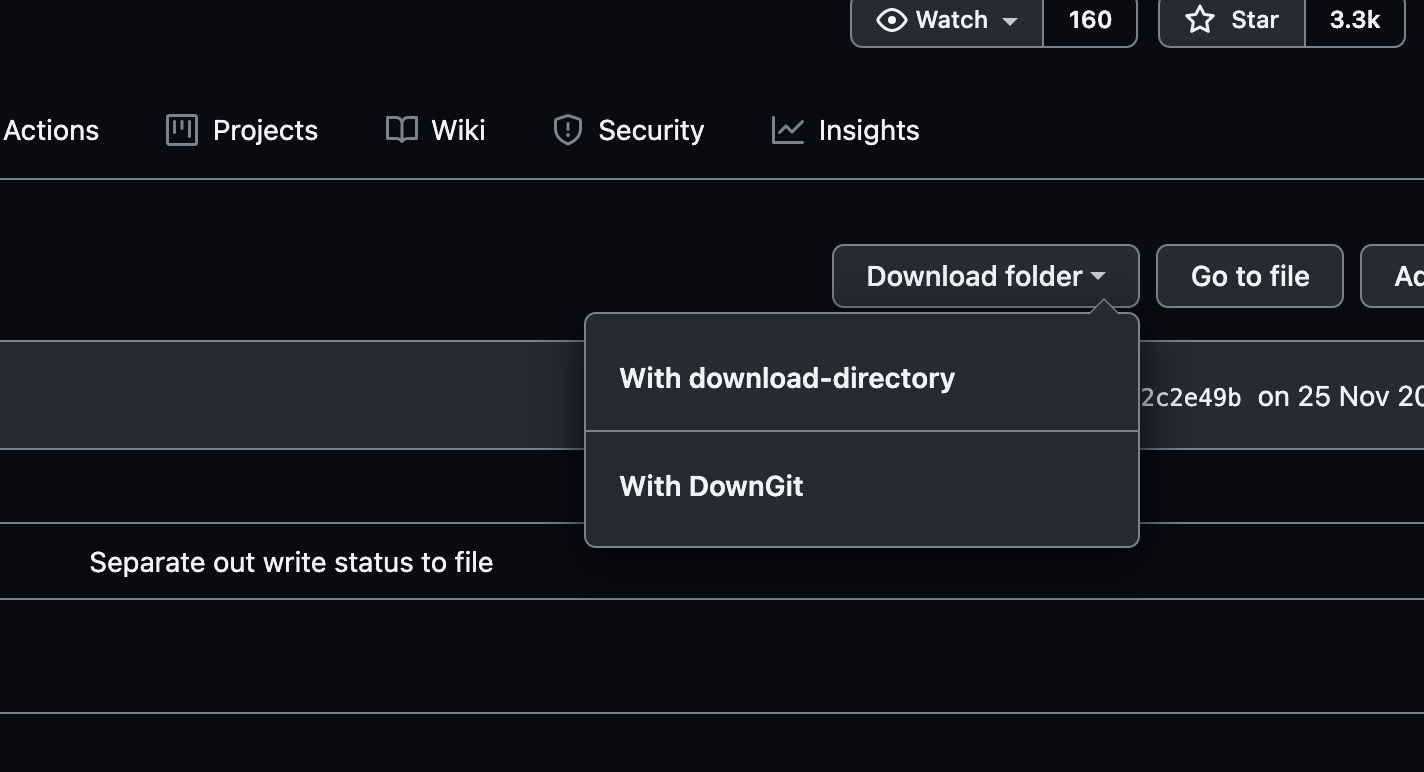
GitHub Folder Downloader adds a download button for GitHub folders, making it easier to download specific folders from repositories. The button integrates with two external tools: download-directory and DownGit, allowing users to download folders with a single click.

Features

Modifications

Modified from the script GitHub 文件夹下载 by user Eric Kwok.
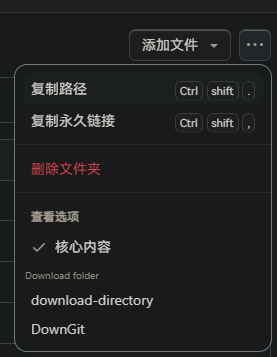
Usage

  1. Navigate to a GitHub repository.
  2. Open a folder in the repository.
  3. Click on the "Download folder" button to see options for downloading the folder.

Change history

- 2024/8/28 04:21 - Ver: 0.7 Replaced invalid selectors.

2.png 1.png