GitHub Useful Forks

Adds a button to GitHub repositories to see useful forks of the repo.

スクリプトをインストールするには、Tampermonkey, GreasemonkeyViolentmonkey のような拡張機能のインストールが必要です。

You will need to install an extension such as Tampermonkey to install this script.

スクリプトをインストールするには、TampermonkeyViolentmonkey のような拡張機能のインストールが必要です。

スクリプトをインストールするには、TampermonkeyUserscripts のような拡張機能のインストールが必要です。

このスクリプトをインストールするには、Tampermonkeyなどの拡張機能をインストールする必要があります。

このスクリプトをインストールするには、ユーザースクリプト管理ツールの拡張機能をインストールする必要があります。

(ユーザースクリプト管理ツールは設定済みなのでインストール!)

このスタイルをインストールするには、Stylusなどの拡張機能をインストールする必要があります。

このスタイルをインストールするには、Stylus などの拡張機能をインストールする必要があります。

このスタイルをインストールするには、Stylus tなどの拡張機能をインストールする必要があります。

このスタイルをインストールするには、ユーザースタイル管理用の拡張機能をインストールする必要があります。

このスタイルをインストールするには、ユーザースタイル管理用の拡張機能をインストールする必要があります。

このスタイルをインストールするには、ユーザースタイル管理用の拡張機能をインストールする必要があります。

(ユーザースタイル管理ツールは設定済みなのでインストール!)

作者のサイトでサポートを受ける。または、このスクリプトの質問や評価の投稿はこちら通報はこちらへお寄せください
作者
bethro
1日のインストール数
0
累計インストール数
51
評価
1 0 0
バージョン
1.1
作成日
2024/05/29
更新日
2024/05/29
大きさ
3.8KB
ライセンス
MIT
対象サイト

GitHub Useful Forks Button

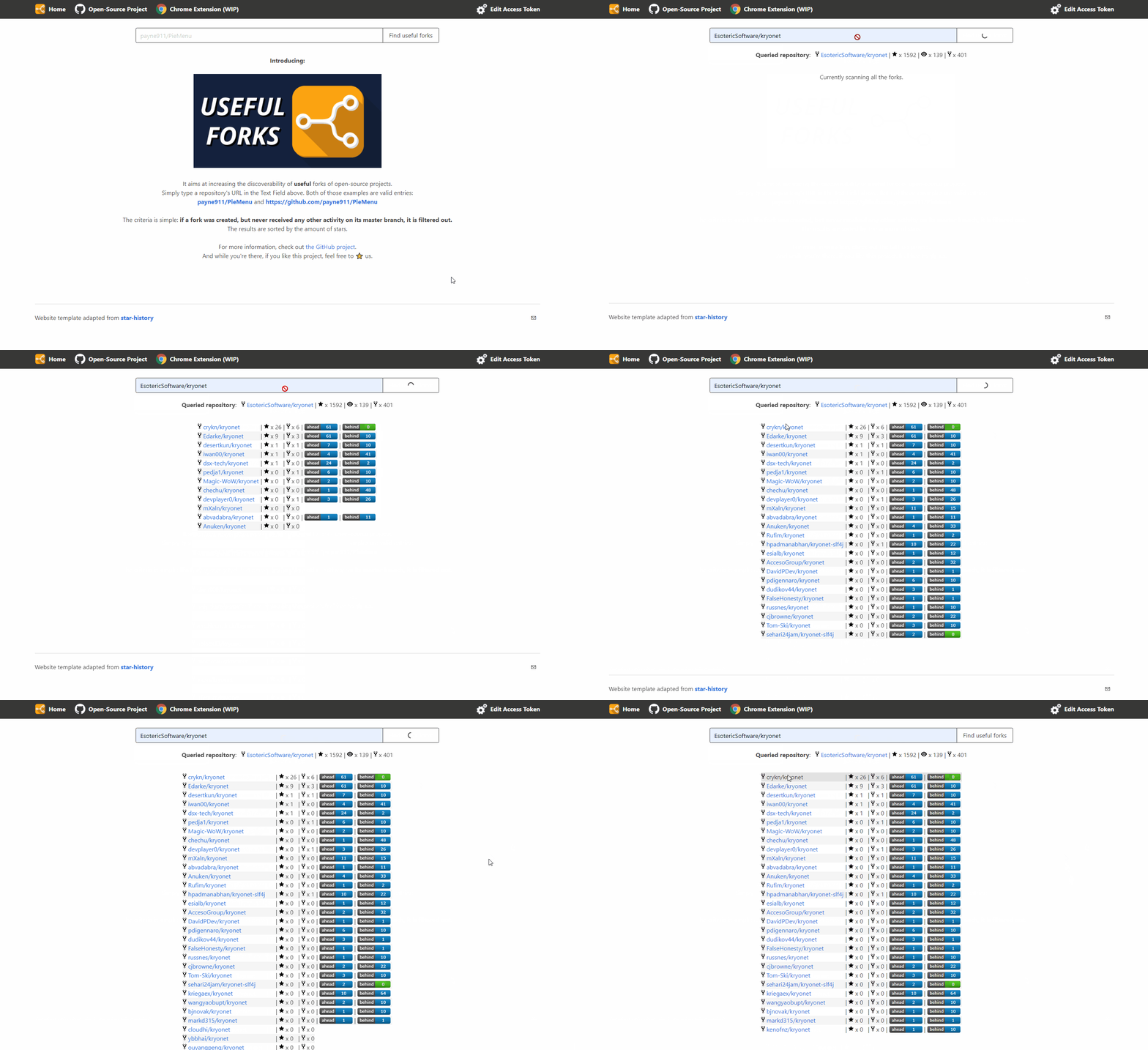
Description: This user script adds a button to GitHub repository pages, allowing users to quickly check useful forks of the repository using the Useful Forks service. The button appears next to the forks counter on the repository page and opens a new tab with the Useful Forks website showing detailed information about the forks.

This is a fork of useful-forks chrome extension.

Features:

  • Adds a "Useful" button to GitHub repository pages.
  • The button uses the Useful Forks service to provide detailed information about forks.
  • Automatically adapts to GitHub's dynamic content loading (e.g., PJax) to ensure the button is always available.

Usage:

  1. Install a user script manager like Tampermonkey or Greasemonkey.
  2. Install this script from Greasy Fork.
  3. Navigate to any GitHub repository page.
  4. Click the "Useful" button next to the forks counter to see detailed information about useful forks.

extension_btn

Installation:

  1. Install Tampermonkey or Greasemonkey extension in your browser.
  2. Click the "Install" button on this page to add the script to your script manager.
  3. Navigate to any GitHub repository to see the new button in action.

Technical Details:

  • The script identifies the current repository's user and repo name from the URL.
  • It constructs a URL to the Useful Forks service and assigns it to the button.
  • Uses a MutationObserver to handle GitHub's dynamic content changes without requiring a full page reload.

example