GitHub Custom Hotkeys

A userscript that allows you to add custom GitHub keyboard hotkeys

이 스크립트를 설치하려면 Tampermonkey, Greasemonkey 또는 Violentmonkey와 같은 확장 프로그램이 필요합니다.

You will need to install an extension such as Tampermonkey to install this script.

이 스크립트를 설치하려면 Tampermonkey 또는 Violentmonkey와 같은 확장 프로그램이 필요합니다.

이 스크립트를 설치하려면 Tampermonkey 또는 Userscripts와 같은 확장 프로그램이 필요합니다.

이 스크립트를 설치하려면 Tampermonkey와 같은 확장 프로그램이 필요합니다.

이 스크립트를 설치하려면 유저 스크립트 관리자 확장 프로그램이 필요합니다.

(이미 유저 스크립트 관리자가 설치되어 있습니다. 설치를 진행합니다!)

이 스타일을 설치하려면 Stylus와 같은 확장 프로그램이 필요합니다.

이 스타일을 설치하려면 Stylus와 같은 확장 프로그램이 필요합니다.

이 스타일을 설치하려면 Stylus와 같은 확장 프로그램이 필요합니다.

이 스타일을 설치하려면 유저 스타일 관리자 확장 프로그램이 필요합니다.

이 스타일을 설치하려면 유저 스타일 관리자 확장 프로그램이 필요합니다.

이 스타일을 설치하려면 유저 스타일 관리자 확장 프로그램이 필요합니다.

(이미 유저 스타일 관리자가 설치되어 있습니다. 설치를 진행합니다!)
작성자
Mottie
일일 설치 수
0
총 설치 수
154
평점
8 0 0
버전
1.1.5
생성일
2016-04-11
갱신일
2024-02-17
크기
18.8KB
라이선스
MIT
적용 사이트

A userscript that allows you to add custom GitHub keyboard hotkeys

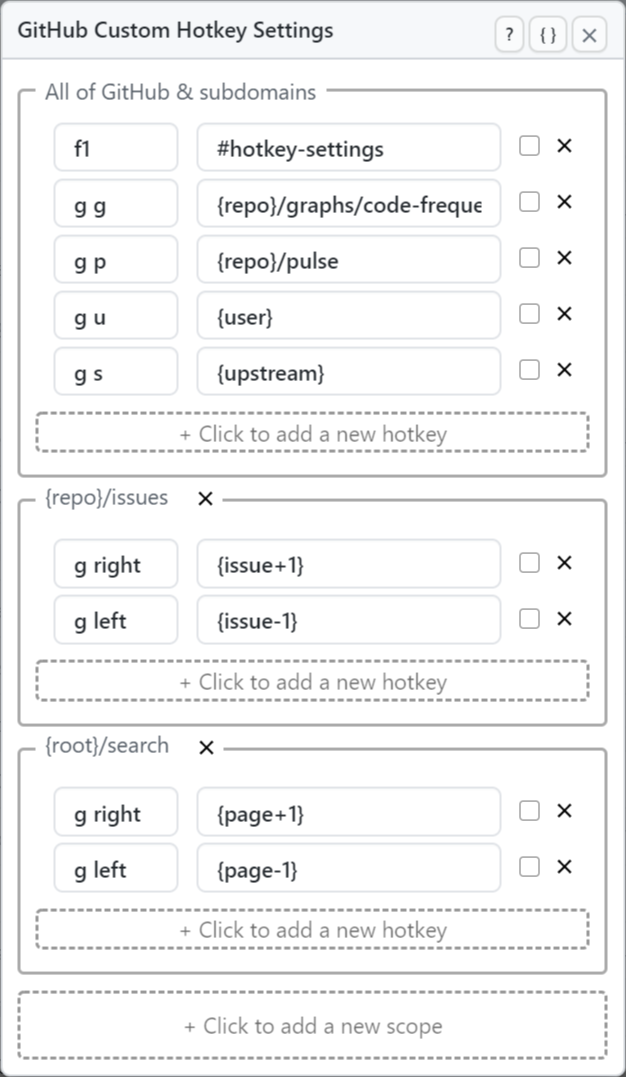
  • Keyboard shortcuts are added using GitHub's "hotkey" method.
  • A hotkey will not execute any code, it is set up to only be associated with a URL.
  • Custom hotkeys in this userscript can be scoped to specific GitHub URLs so they only work on those pages.
  • Adding a definition using this script will override GitHub's built-in hotkeys, so please be aware of this fact!
  • It might be best to use a key sequence that GitHub doesn't already use (e.g. g 1, g 2, etc).
  • JSON code can be copied from or pasted into this userscript settings panel to make it easy to transfer your hotkeys to and from other computers.
  • Definitions set by this userscript are not added to GitHub's "Keyboard shortcuts" panel (opened by pressing ?).

Hosted with ♥ at GitHub