GitHub Contributions Snake

turn github contribs to snake game
이 스크립트를 설치하려면 Tampermonkey, Greasemonkey 또는 Violentmonkey와 같은 확장 프로그램이 필요합니다.

이 스크립트를 설치하려면 Tampermonkey와 같은 확장 프로그램을 설치해야 합니다.

이 스크립트를 설치하려면 Tampermonkey 또는 Violentmonkey와 같은 확장 프로그램이 필요합니다.

이 스크립트를 설치하려면 Tampermonkey 또는 Userscripts와 같은 확장 프로그램이 필요합니다.

이 스크립트를 설치하려면 Tampermonkey와 같은 확장 프로그램이 필요합니다.

이 스크립트를 설치하려면 유저 스크립트 관리자 확장 프로그램이 필요합니다.

(이미 유저 스크립트 관리자가 설치되어 있습니다. 설치를 진행합니다!)

이 스타일을 설치하려면 Stylus와 같은 확장 프로그램이 필요합니다.

이 스타일을 설치하려면 Stylus와 같은 확장 프로그램이 필요합니다.

이 스타일을 설치하려면 Stylus와 같은 확장 프로그램이 필요합니다.

이 스타일을 설치하려면 유저 스타일 관리자 확장 프로그램이 필요합니다.

이 스타일을 설치하려면 유저 스타일 관리자 확장 프로그램이 필요합니다.

이 스타일을 설치하려면 유저 스타일 관리자 확장 프로그램이 필요합니다.

(이미 유저 스타일 관리자가 설치되어 있습니다. 설치를 진행합니다!)

작성자
gv3.dev
일일 설치 수
0
총 설치 수
3
평점
0 0 0
버전
2024-07-19
생성일
2024-08-19
갱신일
2024-08-19
크기
4.68KB
라이선스
MIT
적용 사이트

GitHub Contributions Snake 🐍🍎

Please note that this script is not finished & requires more work. It was just a quick little project cuz I was bored. However, it is usable & fully functional, it just isn't at it's best. (yet) :)

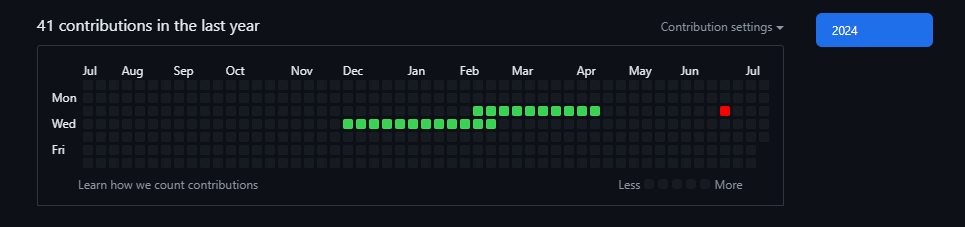
This repository contains a JavaScript implementation of a Snake game that can be played on the GitHub contributions grid. The script automatically sets up the game, and the snake can be controlled using the arrow keys. The snake aims to eat the food that appears on the grid, growing in length with each piece of food consumed.

Features

  • Snake Movement: Control the snake using the arrow keys.
  • Food Generation: Randomly places food on the grid that the snake aims to eat.
  • Collision Handling: Prevents the snake from running into itself.

How It Works

The script continuously executes the following steps:

  1. Initialize Game: Sets up the grid, snake, and food.
  2. Handle Input: Listens for arrow key presses to control the snake's direction.
  3. Move Snake: Moves the snake in the specified direction, handles food consumption, and grows the snake.

Installation

To use this script with Tampermonkey:

  1. Install Tampermonkey: Install the Tampermonkey extension for your browser.
  2. Create a New Script: Open Tampermonkey, create a new script, and paste the code below into it.
  3. Save and Enable: Save the script and ensure it is enabled.
  4. Play the Game: Open GitHub and navigate to your contributions grid. Use the arrow keys to control the snake.