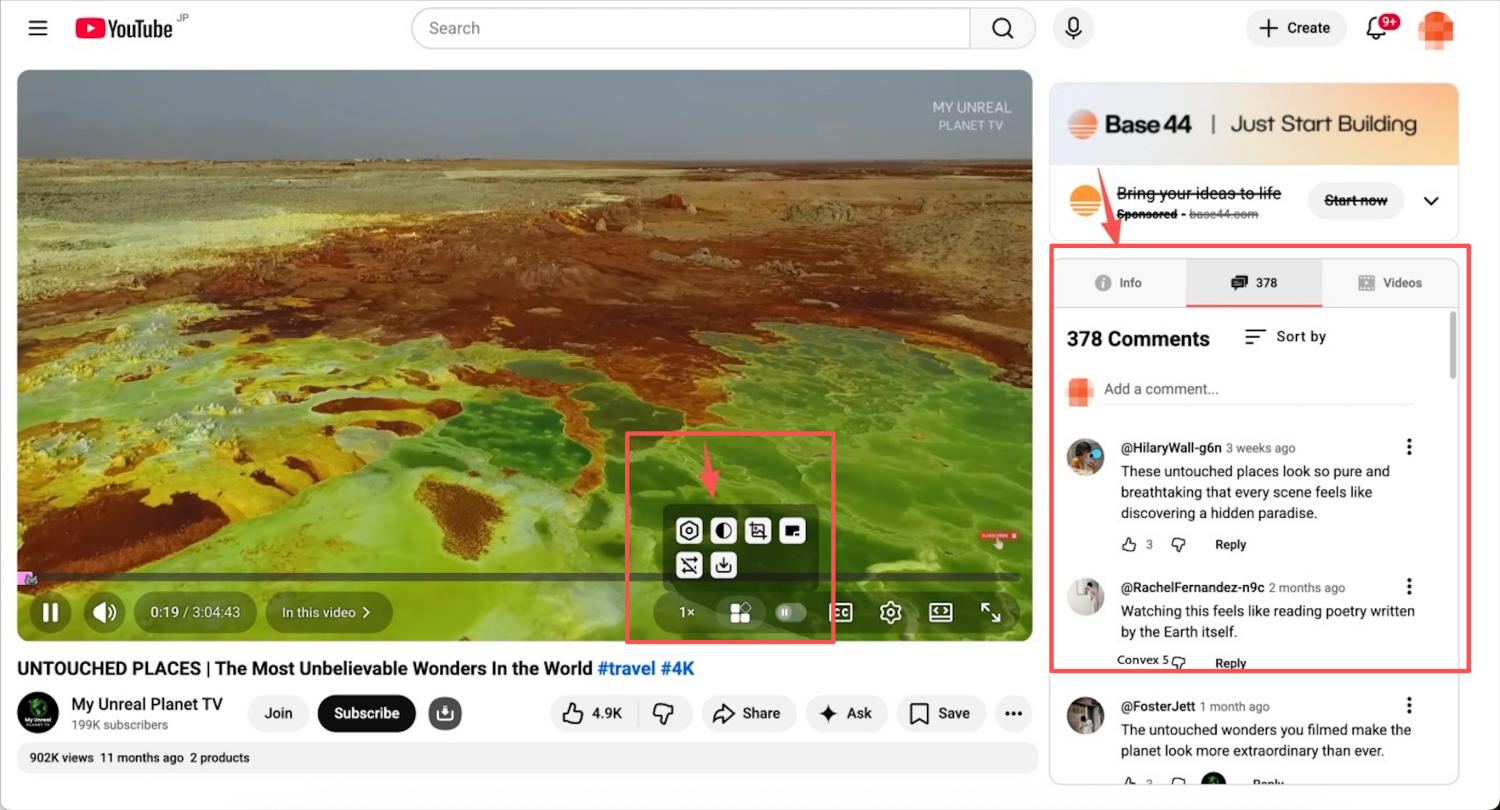
Et brukerskript som forbedrer YouTube med flere nyttige funksjoner, inkludert: optimalisert layout for videodetaljsiden, videonedlasting, skjermbilder, bytte mellom mørkt/lyst tema, hurtigspoling og mer.
This script is a secondary development based on the project https://github.com/tabview-youtube/Tabview-Youtube
and is licensed under the MIT open-source license.Optimized the project structure, improved the UI, and added some YouTube enhancement tools.
This script is only compatible with youtube.com. All features are implemented using native JavaScript, without any third-party JS or CSS.
// @include *://*.youtube.com/**
1、Enhanced Video Detail Page Layout: You can now view comments while watching a video. The video description, comments, and recommended videos are relocated to the right side of the YouTube playback page without affecting functionality.
2、Improved Video Playback Progress Bar: The progress bar has been refined for a more visually appealing and dynamic experience.
3、Ad Marking to Prevent Accidental Clicks: Ads remain on the page as they are a source of revenue for YouTube; this feature simply helps avoid unintentional clicks.
4、Adjustable Video Fast Forward: Easily speed up or slow down video playback.
5、One-Click Video Screenshot: Capture screenshots of videos instantly.
6、Dark/Light Theme Toggle: Switch between dark and light modes using YouTube’s official method for a more visually pleasing interface.
Tips:
The ad-blocking feature is a complex and highly intrusive function that can easily lead to issues if not implemented properly. Therefore, this feature needs to be restructured (temporarily removed in the latest version). There are some excellent ad-blocking extensions available for Chrome and Edge that work exceptionally well. They also support YouTube ad-blocking and perform impressively.
eg: Adguard