Feedly filtering and sorting

Enhance the feedly website with advanced filtering, sorting and more

Você precisará instalar uma extensão como Tampermonkey, Greasemonkey ou Violentmonkey para instalar este script.

You will need to install an extension such as Tampermonkey to install this script.

Você precisará instalar uma extensão como Tampermonkey ou Violentmonkey para instalar este script.

Você precisará instalar uma extensão como Tampermonkey ou Userscripts para instalar este script.

Você precisará instalar uma extensão como o Tampermonkey para instalar este script.

Você precisará instalar um gerenciador de scripts de usuário para instalar este script.

(Eu já tenho um gerenciador de scripts de usuário, me deixe instalá-lo!)

Você precisará instalar uma extensão como o Stylus para instalar este estilo.

Você precisará instalar uma extensão como o Stylus para instalar este estilo.

Você precisará instalar uma extensão como o Stylus para instalar este estilo.

Você precisará instalar um gerenciador de estilos de usuário para instalar este estilo.

Você precisará instalar um gerenciador de estilos de usuário para instalar este estilo.

Você precisará instalar um gerenciador de estilos de usuário para instalar este estilo.

(Eu já possuo um gerenciador de estilos de usuário, me deixar fazer a instalação!)

Autor
soufianesakhi
Instalações hoje
0
Total de instalações
7.542
Avaliações
84 1 0
Versão
3.22.33
Criado
11/06/2016
Atualizado
28/01/2024
Tamanho
171 KB
Licença
MIT
Aplicável a

Feedly filtering and sorting

When this extension/script is enabled, a filter icon will appear next to the settings icon that toggles the filtering and sorting menu.

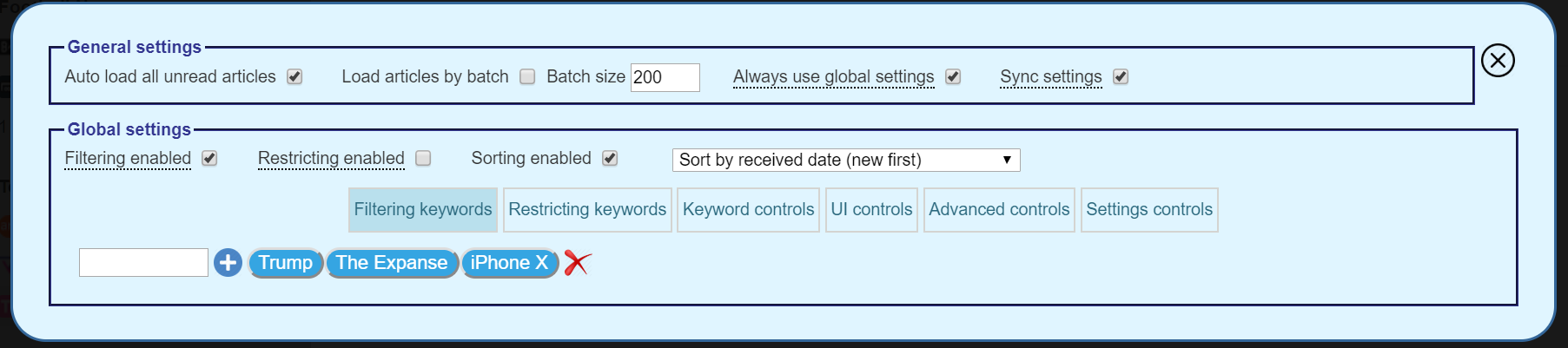
Toggle button

Menu

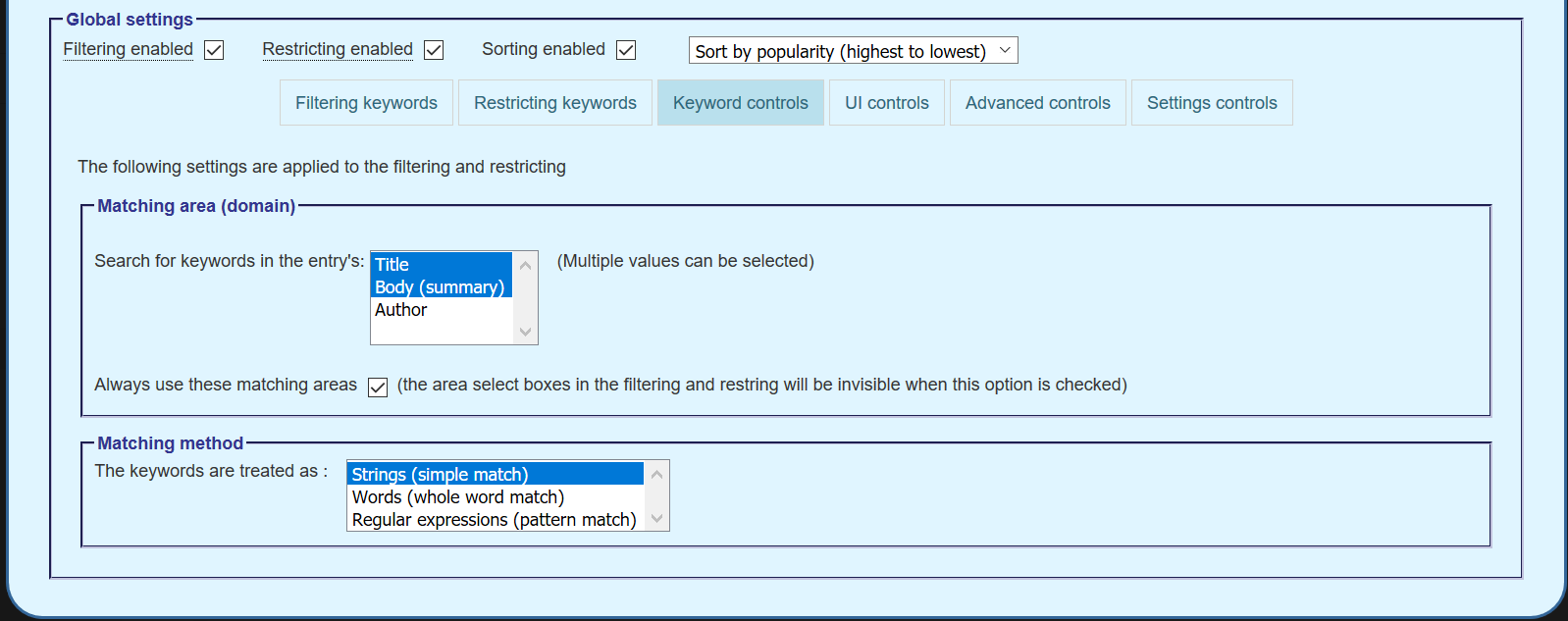
Keyword settings

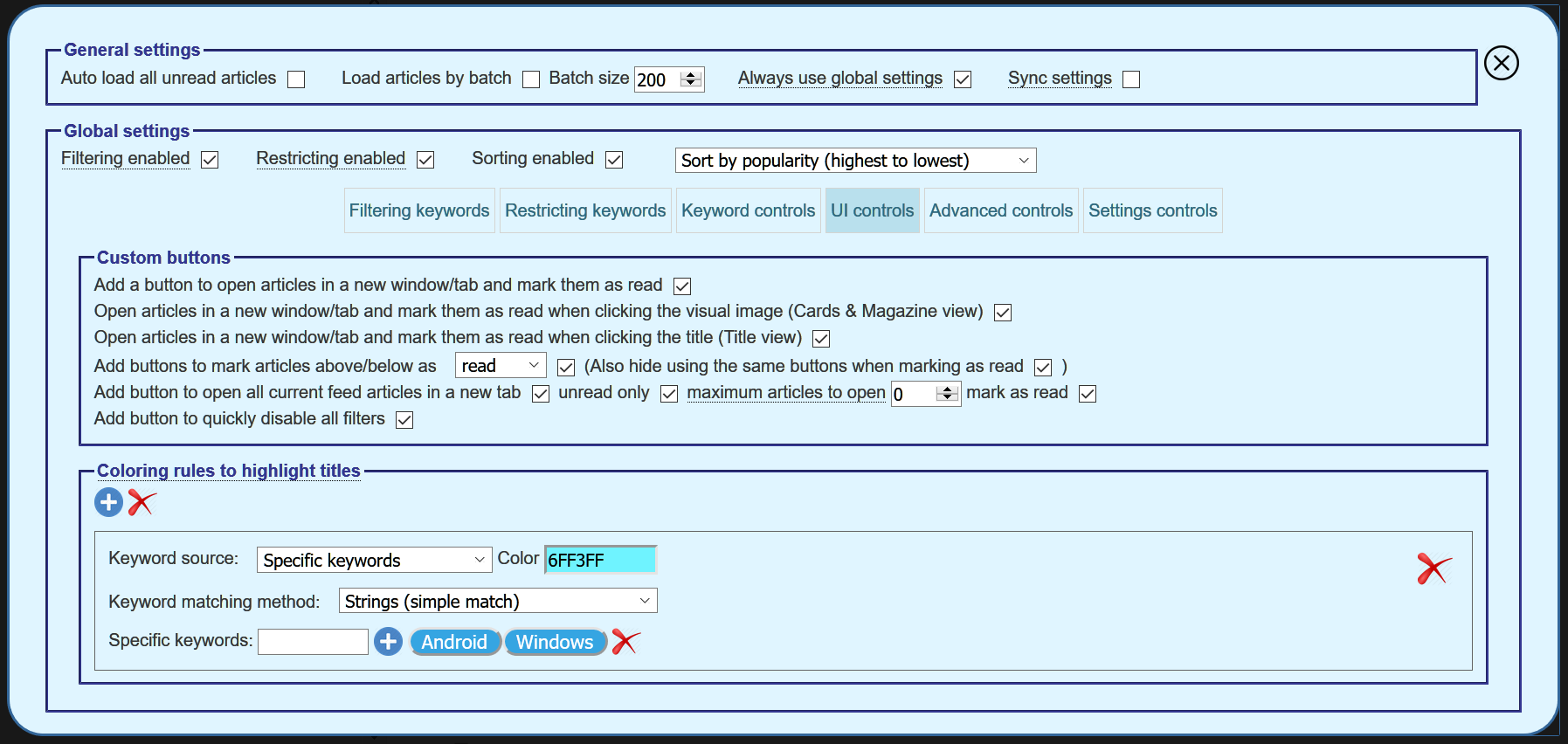
UI settings

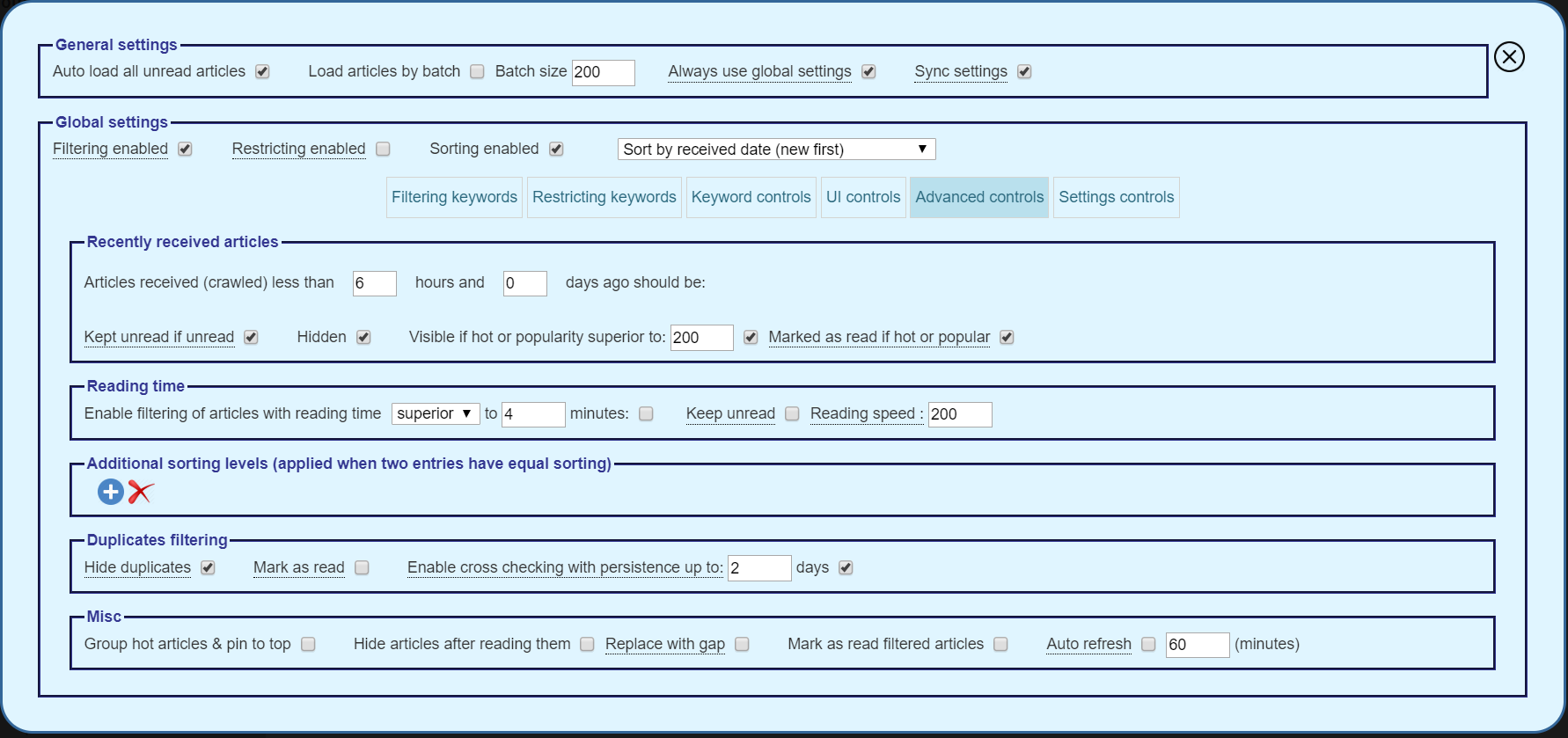
Advanced settings

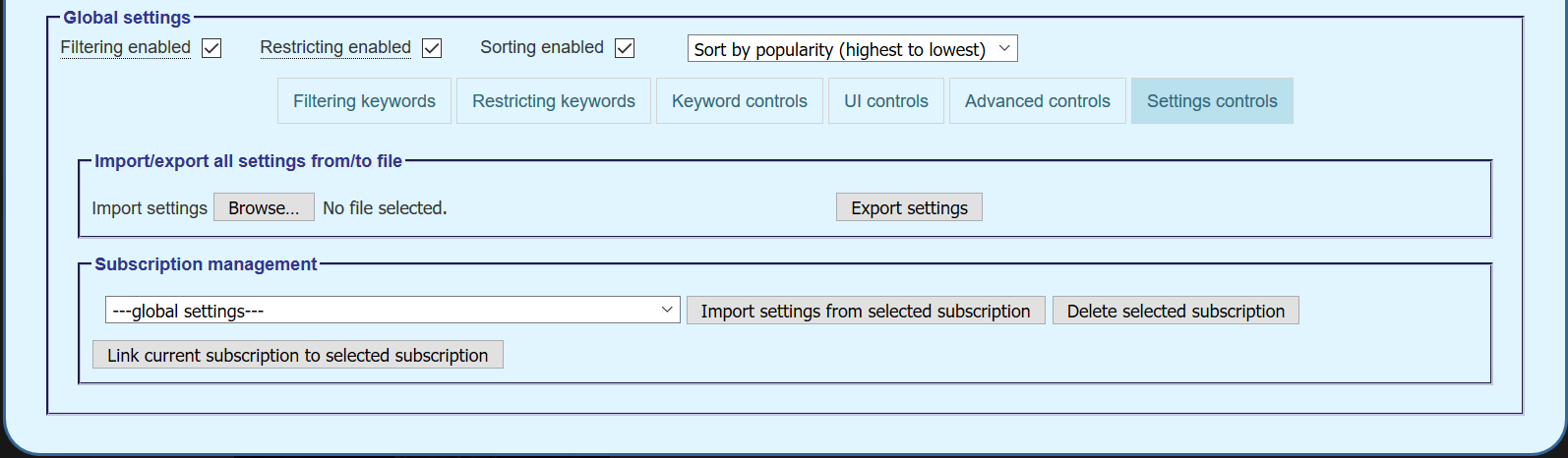
Import settings

Features

  • Multi level sorting: by popularity, by title, by source or by publish date.
  • Filtering: Hide the articles that contain at least one of the filtering keywords or by reading time.
  • Restricting: Show only articles that contain at least one of the restricting keywords.
  • Duplicates checking: Hide, highlight with a color
  • Advanced keyword matching: Specify areas to search, searching method (simple, pattern (RegExp), ...)
  • Auto load all unread articles at once or by batches (mark as read by batch when there are a lot of unread articles).
  • Advanced controls (keep recently published articles unread, ...).
  • Pin hot articles to top.
  • Import/export all settings from/to file.
  • Advanced settings management (Import from / link to an other subscription, sync the settings across all the browser instances).
  • Tweak the page (Add buttons to open articles in a new tab, mark as read/unread, ...).
  • Add coloring rules to highlight titles.
  • Auto refresh articles periodically.

Two settings configurations are available:
  • Global settings: same configuration used for all subscriptions and categories.
  • Subscription settings:
    • Subscription and category specific configurations
    • The default settings values are the global settings.
    • A group of subscriptions can share the same configuration by linking them to the same subscription.

Requirements

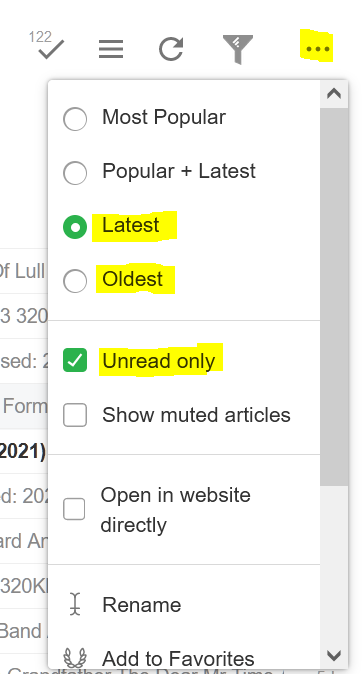
Feedly settings

Feedly settings

  • The Unread Only option is required to be checked
  • Sorting should be set to either Latest or Oldest

Changelog

Requests

Please report bugs and feature requests by emailing me at [email protected].

Installation

Two options are available:

Install as an extension

Install as a user script

This script relies on the user scripts extensions like Greasemonkey or Tampermonkey.

After installing the appropriate user scripts extension, you can install the script from the following sites: