GitHub News Filter

Userscript to filter GitHub news feed using case-insensitive regular expression

คุณจะต้องติดตั้งส่วนขยาย เช่น Tampermonkey, Greasemonkey หรือ Violentmonkey เพื่อติดตั้งสคริปต์นี้

You will need to install an extension such as Tampermonkey to install this script.

คุณจะต้องติดตั้งส่วนขยาย เช่น Tampermonkey หรือ Violentmonkey เพื่อติดตั้งสคริปต์นี้

You will need to install an extension such as Tampermonkey or Userscripts to install this script.

You will need to install an extension such as Tampermonkey to install this script.

You will need to install a user script manager extension to install this script.

(I already have a user script manager, let me install it!)

You will need to install an extension such as Stylus to install this style.

You will need to install an extension such as Stylus to install this style.

You will need to install an extension such as Stylus to install this style.

You will need to install a user style manager extension to install this style.

You will need to install a user style manager extension to install this style.

You will need to install a user style manager extension to install this style.

(I already have a user style manager, let me install it!)

ผู้เขียน
hckr
จำนวนติดตั้งประจำวัน
0
จำนวนติดตั้งทั้งหมด
5
คะแนน
0 0 0
เวอร์ชัน
0.6.4
สร้างเมื่อ
15-01-2019
อัปเดตเมื่อ
16-02-2019
Size
3.83 กิโลไบต์
สัญญาอนุญาต
MIT
ปรับใช้กับ

GitHub News Filter

Userscript to filter GitHub news feed using case-insensitive regular expression.

How to use

Just type a regular expression (or just plain text) pattern and enjoy filtered news feed. :)
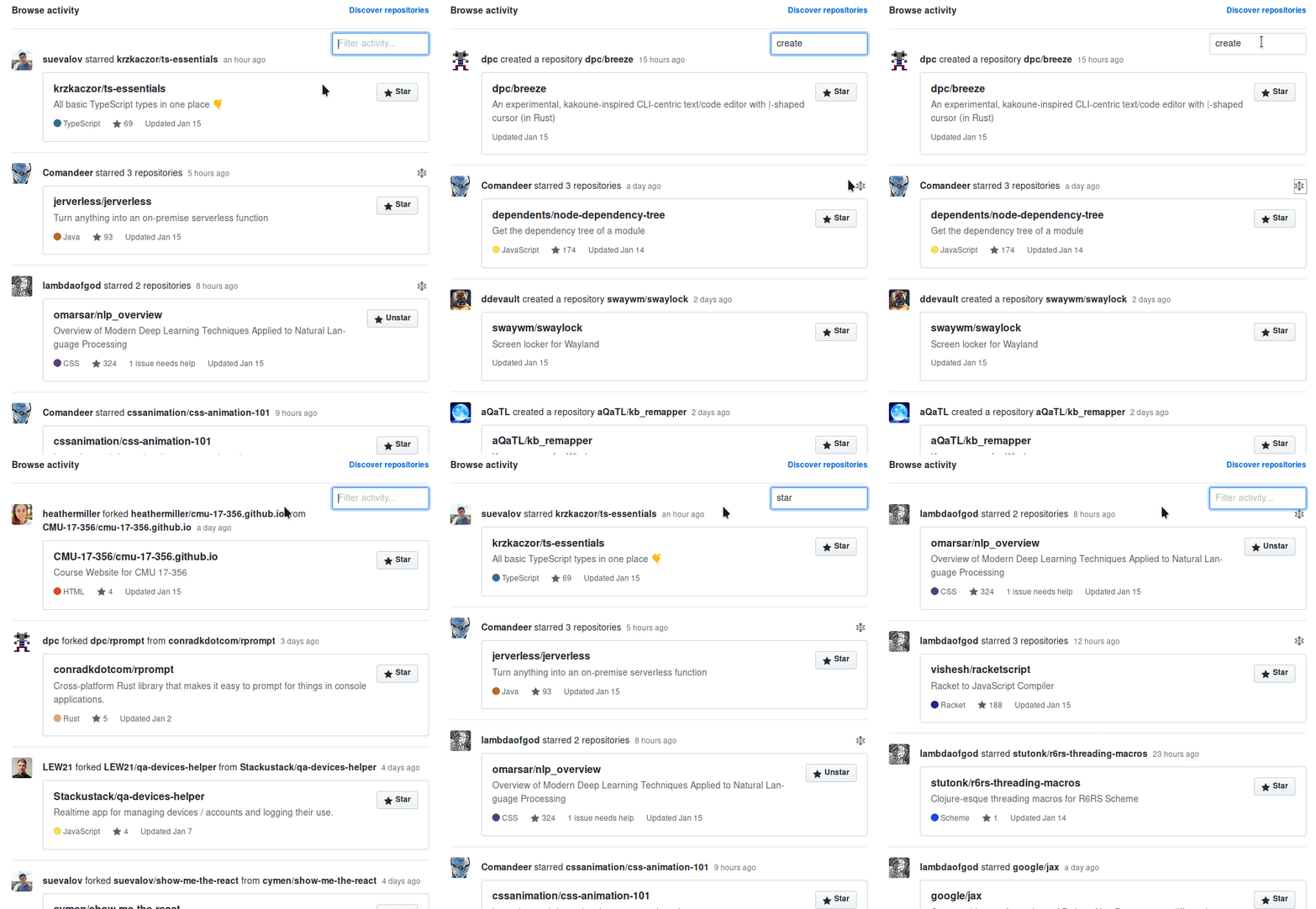
demo

Prerequisites

In order to use userscripts you need to have Tampermonkey or Greasemonkey installed in your browser.

Install GitHub News Filter

Click on the link above to install the userscript.

Wishes / Issues / Enjoyment?

Star Issue/Wish Fork