Github Repository Dispatch Trigger

Add repository_dispatch trigger for Github Actions

ของเมื่อวันที่ 22-12-2019 ดู เวอร์ชันล่าสุด

คุณจะต้องติดตั้งส่วนขยาย เช่น Tampermonkey, Greasemonkey หรือ Violentmonkey เพื่อติดตั้งสคริปต์นี้

You will need to install an extension such as Tampermonkey to install this script.

คุณจะต้องติดตั้งส่วนขยาย เช่น Tampermonkey หรือ Violentmonkey เพื่อติดตั้งสคริปต์นี้

You will need to install an extension such as Tampermonkey or Userscripts to install this script.

You will need to install an extension such as Tampermonkey to install this script.

You will need to install a user script manager extension to install this script.

(I already have a user script manager, let me install it!)

You will need to install an extension such as Stylus to install this style.

You will need to install an extension such as Stylus to install this style.

You will need to install an extension such as Stylus to install this style.

You will need to install a user style manager extension to install this style.

You will need to install a user style manager extension to install this style.

You will need to install a user style manager extension to install this style.

(I already have a user style manager, let me install it!)

ผู้เขียน
Te Qi
คะแนน
0 0 0
เวอร์ชัน
0.1
สร้างเมื่อ
21-12-2019
อัปเดตเมื่อ
22-12-2019
Size
2.88 กิโลไบต์
สัญญาอนุญาต
ไม่มี
ปรับใช้กับ

Github Repository Dispatcher

A Tampermonkey userscript for triggering Github repository dispatch event with one click

Screenshot Screenshot Screenshot

Prerequisite

Tampermonkey / Greasemonkey

Usage

  1. Install the script by copying or from Greasefork.
  2. Get github personal access token with repo permissions. Copy it.
  3. Open the repo you want to trigger repo dispatch event.
  4. Click the "Repo Dispatch" button.
  5. At the first time, you will be asked to input your personal access token.
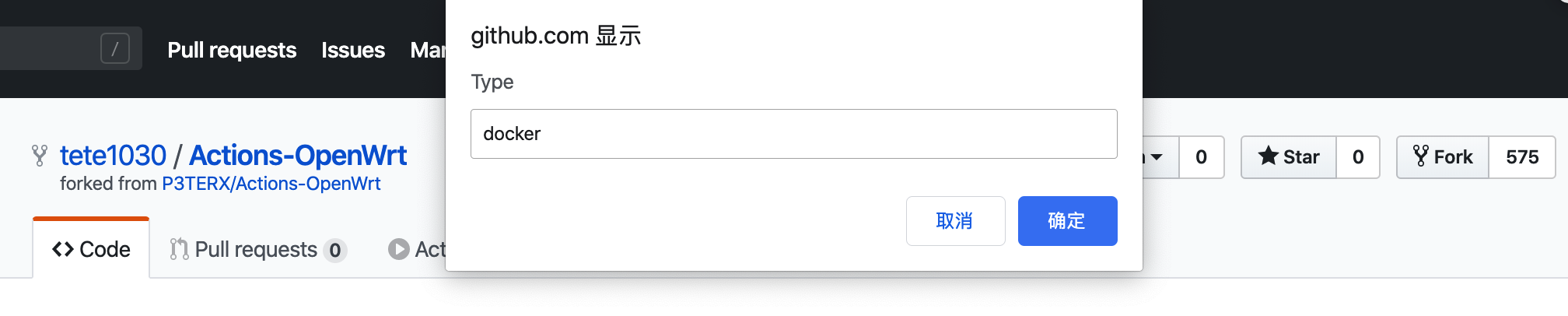
  6. Input your dispatch type (or any name you want. The name can be used to identify the event in Github Actions).
  7. Input your dispatch payload (optional, in json. E.g. {"debug": true}).
  8. Enjoy!

Documentations of repository_dispatch event