GitHub Code Folding

A userscript that adds code folding to GitHub files

Bu betiği kurabilmeniz için Tampermonkey, Greasemonkey ya da Violentmonkey gibi bir kullanıcı betiği eklentisini kurmanız gerekmektedir.

You will need to install an extension such as Tampermonkey to install this script.

Bu betiği kurabilmeniz için Tampermonkey ya da Violentmonkey gibi bir kullanıcı betiği eklentisini kurmanız gerekmektedir.

Bu betiği kurabilmeniz için Tampermonkey ya da Userscripts gibi bir kullanıcı betiği eklentisini kurmanız gerekmektedir.

You will need to install an extension such as Tampermonkey to install this script.

Bu komut dosyasını yüklemek için bir kullanıcı komut dosyası yöneticisi uzantısı yüklemeniz gerekecek.

(Zaten bir kullanıcı komut dosyası yöneticim var, kurmama izin verin!)

You will need to install an extension such as Stylus to install this style.

You will need to install an extension such as Stylus to install this style.

You will need to install an extension such as Stylus to install this style.

You will need to install a user style manager extension to install this style.

You will need to install a user style manager extension to install this style.

You will need to install a user style manager extension to install this style.

(Zateb bir user-style yöneticim var, yükleyeyim!)
Yazar
Mottie
Günlük kurulumlar
0
Toplam kurulumlar
670
Değerlendirmeler
13 0 1
Versiyon
1.1.5
Oluşturulma
29.12.2016
Güncellenme
17.02.2024
Boyut
7,76 KB
Lisans
MIT
Geçerli

A userscript that adds code folding to GitHub files

  • This code only works on GitHub files (with line numbers), not in markdown code.
  • Works for both space and tab indentation.
  • This code was modified from the GitHub Code Folding Chrome extension by @noam3127 (MIT license).
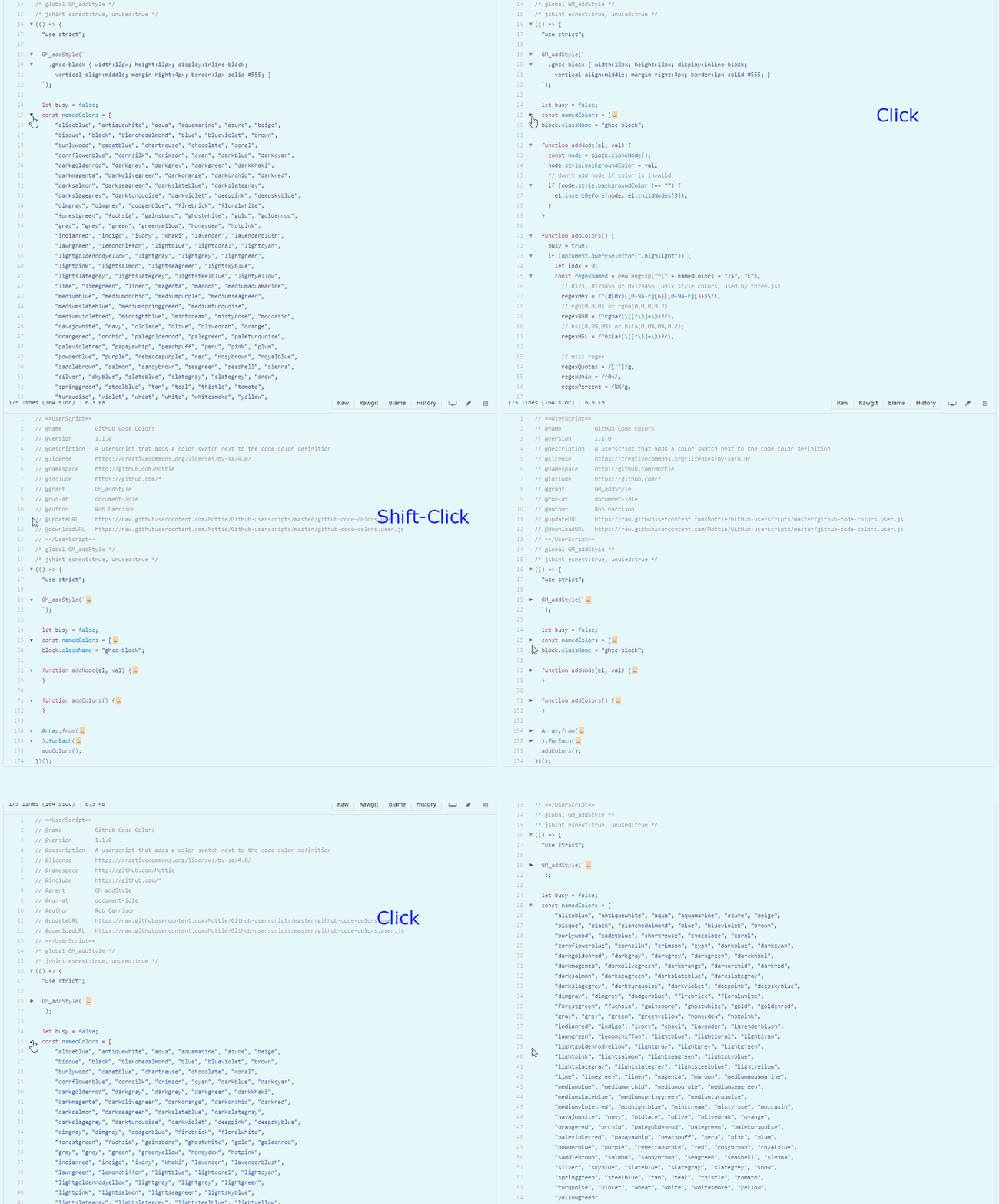
  • Clicking on an arrow will collapse a section of code with the same indentation level.
  • Using Shift click on an arrow will collapse all sections of the same code indentation level.
  • After collapsing a code block, click on either the arrow (left side) or on the ellipsis (right side), to re-expand the code block.

github-code-folding

Hosted with ♥ at GitHub