GitHub News Filter

Userscript to filter GitHub news feed using case-insensitive regular expression

您需要先安裝使用者腳本管理器擴展,如 TampermonkeyGreasemonkeyViolentmonkey 之後才能安裝該腳本。

You will need to install an extension such as Tampermonkey to install this script.

您需要先安裝使用者腳本管理器擴充功能,如 TampermonkeyViolentmonkey 後才能安裝該腳本。

您需要先安裝使用者腳本管理器擴充功能,如 TampermonkeyUserscripts 後才能安裝該腳本。

你需要先安裝一款使用者腳本管理器擴展,比如 Tampermonkey,才能安裝此腳本

您需要先安裝使用者腳本管理器擴充功能後才能安裝該腳本。

(我已經安裝了使用者腳本管理器,讓我安裝!)

你需要先安裝一款使用者樣式管理器擴展,比如 Stylus,才能安裝此樣式

你需要先安裝一款使用者樣式管理器擴展,比如 Stylus,才能安裝此樣式

你需要先安裝一款使用者樣式管理器擴展,比如 Stylus,才能安裝此樣式

你需要先安裝一款使用者樣式管理器擴展後才能安裝此樣式

你需要先安裝一款使用者樣式管理器擴展後才能安裝此樣式

你需要先安裝一款使用者樣式管理器擴展後才能安裝此樣式

(我已經安裝了使用者樣式管理器,讓我安裝!)

作者
hckr
今日安裝
0
安裝總數
5
評價
0 0 0
版本
0.6.4
建立日期
2019-01-15
更新日期
2019-02-16
尺寸
3.8 KB
授權條款
MIT
腳本執行於

GitHub News Filter

Userscript to filter GitHub news feed using case-insensitive regular expression.

How to use

Just type a regular expression (or just plain text) pattern and enjoy filtered news feed. :)
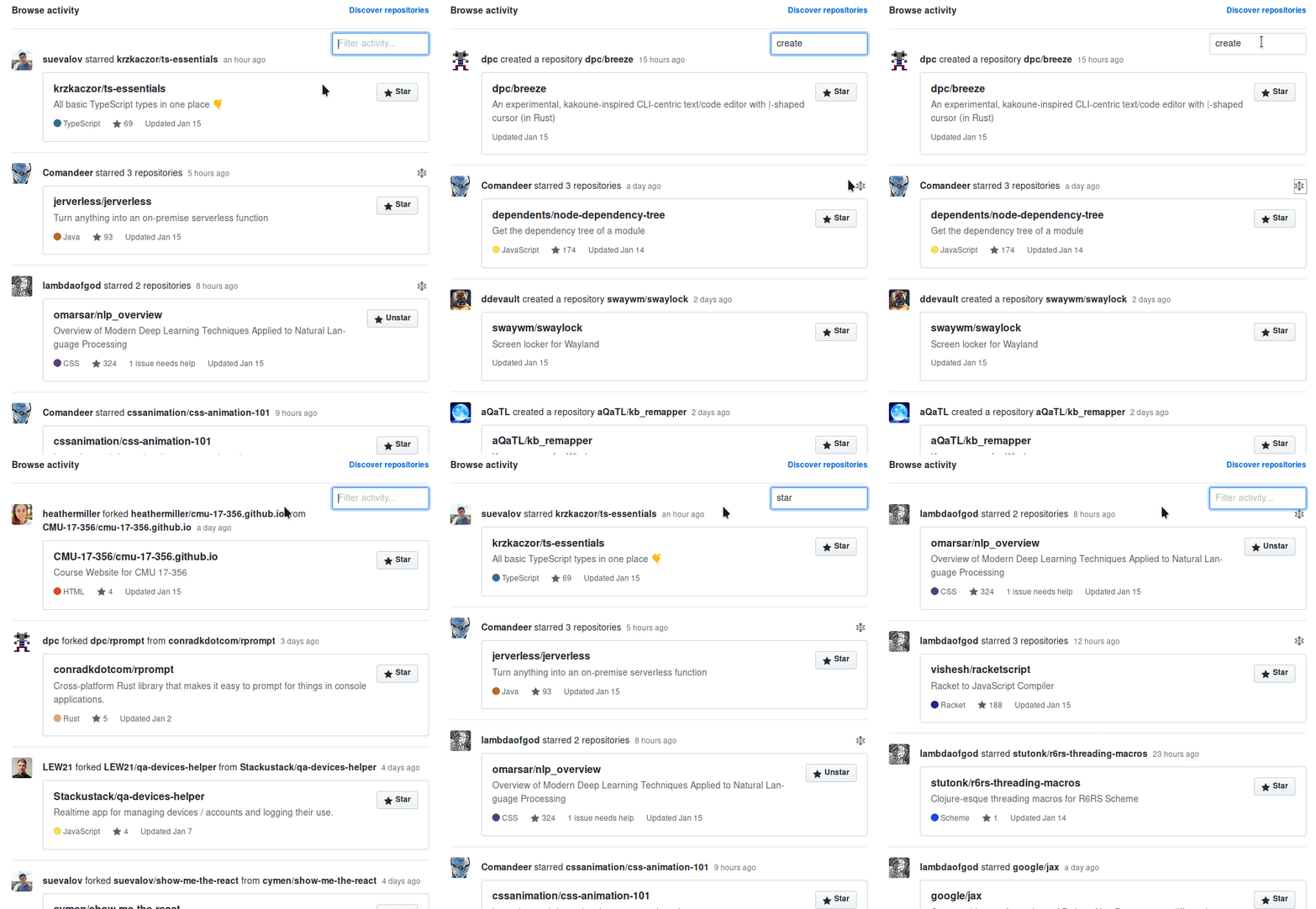
demo

Prerequisites

In order to use userscripts you need to have Tampermonkey or Greasemonkey installed in your browser.

Install GitHub News Filter

Click on the link above to install the userscript.

Wishes / Issues / Enjoyment?

Star Issue/Wish Fork