
What are user scripts?
User scripts put you in control of your browsing experience. Once installed, they automatically make the sites you visit better by adding features, making them easier to use, or taking out the annoying bits. The user scripts on Greasy Fork were written by other users and posted to share with the world. They're free to install and easy to use.
Step 1: install a user script manager
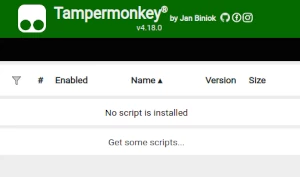
To use user scripts you need to first install a user script manager. Which user script manager you can use depends on which browser you use.
Desktop Mobile (Android) Mobile (iOS)
- Chrome: Tampermonkey
- Firefox: Greasemonkey, Tampermonkey, or Violentmonkey
- Safari: Tampermonkey or Userscripts
- Microsoft Edge: Tampermonkey
- Opera: Tampermonkey or Violentmonkey
- Maxthon: Violentmonkey
- AdGuard: (no additional software required)
- Firefox: Greasemonkey, Tampermonkey, or Violentmonkey
- Microsoft Edge: Tampermonkey
- Maxthon: Violentmonkey
- Dolphin: Tampermonkey
- UC: Tampermonkey
- XBrowser
- Safari: Tampermonkey or Userscripts
- Gear: (no additional software required)
- Teak: (no additional software required)
Step 2: install a user script
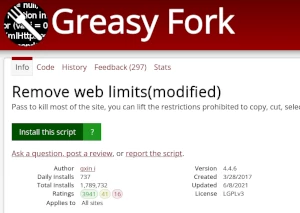
Browse this site to find a user script you want to try. Here is a sample of the most popular scripts:
- HTML5 Video Playing Tools - Enable hotkeys for HTML5 playback: video screenshot; enable/disable picture-in-picture; copy cached video; send any video to full screen or browser window size; fast forward, rewind, pause/play, volume, skip to next video, skip to previous or next frame, set playback speed. Video sites supported: YouTube, TED, Youku, QQ.com, bilibili, ixigua, iQiyi, support mainstream video sites in mainland China; Live broadcasts: Twitch, Douyu.com, YY.com, Huya.com. Custom sites can be added
- RSS+ : Show Site All RSS - View Available RSS Feeds (If Any)
- Quillbot Premium Unlocker - Unlocks Quillbot Premium features with improved stability and compatibility
- Krunker Cheat v2 - Aimbot, ESP, Recoil Comp, ESP Lines, and Hardcore Mode. Original script by wi1lliott8411; also marked under "downloadURL"
- WordBomb.io Cheat Menu - Auto-solves WordBomb.io, manual prompt input
Once you've found a user script, click the green install button on the user script's page, and your user script manager will ask you to confirm the install.
Step 3: use the user script
Go to the site the user script affects. It should automatically do its thing. After trying out the user script for a while, go back to where you installed the user script and leave some feedback for the user script's author.