Greasy Fork is available in English.
Sync AO3 userscript settings and data across devices. View, export, import, and delete data stored by any userscript.
Sync any AO3 userscript's data and settings across multiple devices using Google Sheets as the storage backend. Also view, export, import, and delete data stored by any userscript.
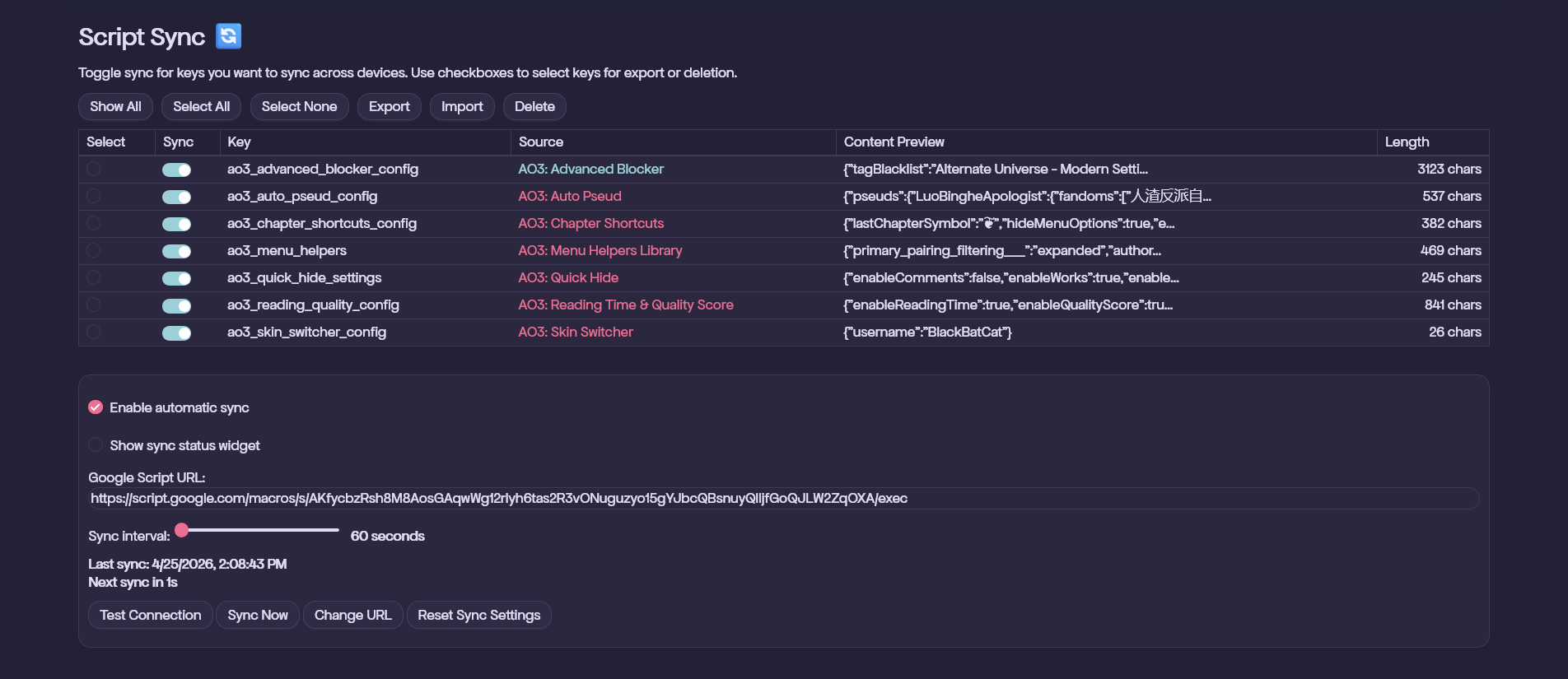
Perfect for syncing data from:
⚠️ Important for Chromium-based browsers: If you're using Chrome, Brave, Vivaldi, or Microsoft Edge on PC, an extra activation step is required. Follow these instructions.. For the Tampermonkey iOS app, see this video.
Install AO3: Script Sync with a userscript manager:
This creates your own copy with all the Apps Script code pre-configured.
🚨 Important: Initialize on the device that holds your most up-to-date userscript data. For example, if your phone has your most recent Advanced Blocker config, run the steps below on your phone first.
To set up on additional devices: Just install the script, enter the same Google Script URL, and press Initialize.
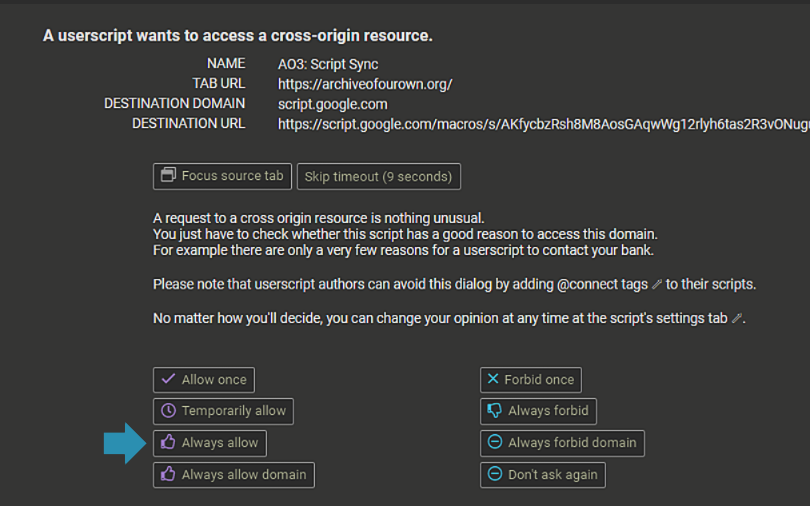
For TamperMonkey users: If you get the following window, press Always allow. If you press the wrong option, the window should reappear if you press Test Connection again.
Which device should I initialize on first?
Initialize on the device with your most up-to-date data. The first device uploads its local data to the sheet; additional devices download from it.
Connection test fails
https://script.google.com/macros/s/.../exec?action=ping appended — you should see a JSON response, not an error pageI toggled sync off for a key. Is the data still on the Google Sheet?
Yes. Toggling sync off just stops syncing — it doesn't delete anything from the sheet. Re-enable it anytime and the data will still be there.
I re-enabled sync for a key after making local changes. Which version wins?
Your local data wins. When you re-enable a key, Script Sync queues your local value for upload with the current timestamp, which is newer than what's on the sheet. Note: if you also made changes on another device while sync was off here, re-enabling on this device will overwrite those. Script Sync doesn't merge — it's last-write-wins.
Does the Delete button remove data from the Google Sheet?
No. Delete only removes data from your browser's local storage. The sheet is untouched, and if sync is still enabled for that key, the next sync will restore it from the sheet. To remove data from the sheet, delete the row directly in Google Sheets.
Does "Reset Sync Settings" wipe my Google Sheet?
No. It only clears Script Sync's configuration from your browser (URL, selected keys, sync state). Your sheet and all its data are untouched. You'll need to re-enter your URL and re-initialize to reconnect.
How do I completely remove a script's data from my device and the Google Sheet?
The Delete button only clears local storage — it won't touch the sheet. To remove data everywhere:
Step 3 requires going into Google Sheets manually, as there's no in-script option to delete data from the sheet.
How do I merge data from two devices (e.g. combine two blocklists)?
Script Sync doesn't have a built-in merge tool. To do it manually:
Big thanks to:
